October 10, 2026Nwankwo Ernest Onyebuchi20 min read
Was this useful?
Managing Complex Global State in React 19: Signals vs. Context API
Global state is where React apps either stay pleasant or slowly turn into a performance and maintenance problem. A theme toggle in Context is fine. A multi-panel dashboard where live data, filters, selections, and user preferences all change at different speeds is a different story.
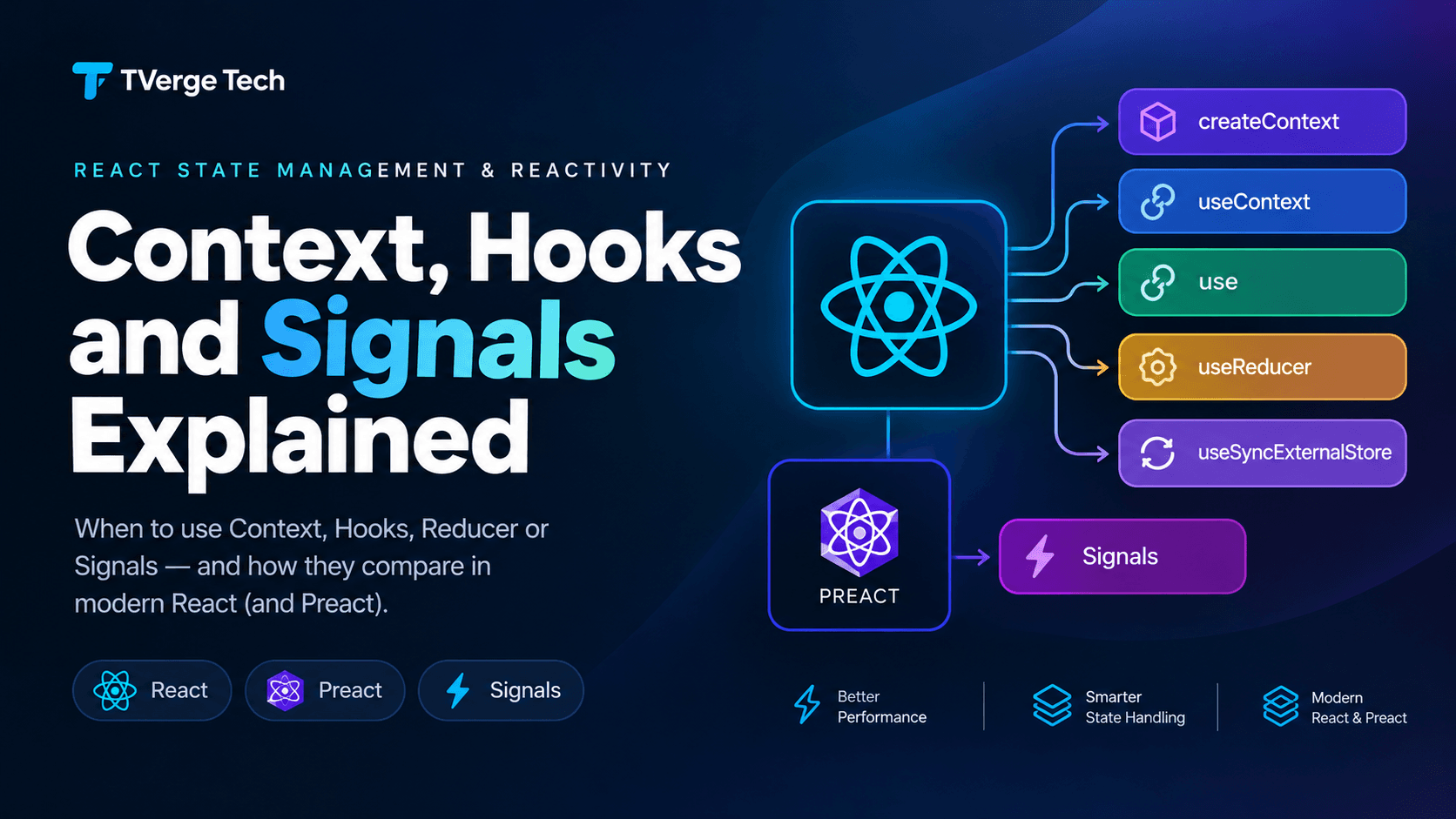
Two approaches dominate this conversation. The first is the Context API, which ships with React and is the default answer for sharing state across a component tree. The second is signals, a fine-grained reactivity model popularized by Preact and now available to React apps through an adapter.
This guide compares both on the criteria that matter in production: update granularity, boilerplate, server rendering, testing, compatibility with modern React features, and team maintainability. You'll get working TypeScript examples, a hybrid pattern that combines both, and a decision framework you can apply to your own codebase.
Version note: Examples target React 19.2.x, building on the changes described in the React 19 release post. Signals support comes from the @preact/signals-react package, which is maintained by the Preact team, not by the React team. Always confirm current behavior in the official docs linked throughout this article.
Use Context for low-frequency, app-wide values: theme, locale, authenticated user, feature flags, and dependency injection (API clients, services). Pair it with useReducer for moderate complexity.
Use signals for high-frequency or deeply derived shared state where many components read small, different slices of the same data and re-render cost is measurable.
Use both when it fits: put a signal-based store inside a context so each provider gets its own isolated instance, and the context value never changes.
Consider useSyncExternalStore (or a library built on it) if you want selector-based subscriptions using only React's own primitives.
The rest of this article explains why.
What "complex global state" actually means
"Complex" is vague, so let's define it. State becomes complex when one or more of these are true:
Many consumers, different slices. Dozens of components read different pieces of the same shared object.
High update frequency. Values change many times per second, such as live prices, drag positions, or streaming results.
Derived data. Totals, filtered lists, and validation flags depend on other state and must stay in sync.
Cross-cutting side effects. Persisting to storage, syncing with a server, or analytics hooks react to state changes.
Multiple instances. The same feature appears more than once on a page, or tests need isolated state.
Context handles (1) and (3) with discipline, struggles with (2), and needs extra structure for (4) and (5). Signals handle (1) through (3) naturally but introduce their own trade-offs around (5) and framework integration. Keep this checklist in mind, because every comparison below maps back to it.
How the Context API works in React 19
Context lets a parent component make a value available to any descendant without passing props through every level. You create it with createContext, provide a value, and read it with useContext or the newer use API.
React 19 made two small but useful changes to the developer experience (see the React 19 release post):
You can render a context directly as a provider (<ThemeContext value={...}>) instead of <ThemeContext.Provider value={...}>.
use(Context) can read context, and unlike hooks it can be called conditionally.
Neither change alters the core re-rendering behavior, which is the part that matters for global state.
Why Context consumers re-render
When a provider's value changes (compared with Object.is), React re-renders every component that reads that context. There is no built-in way to subscribe to only part of the value. If your context holds { user, cart, notifications } and only notifications changes, components that read only user still re-render.
Wrapping a consumer in React.memo doesn't prevent this. memo skips re-rendering when props are unchanged, but a context update is delivered directly to the consumer, bypassing that check. That is why the standard advice is to structure Context well rather than hope memoization will rescue it. We cover the practical side in our guide to React Context performance and splitting contexts.
A production-ready Context pattern: reducer plus split contexts
The most reliable way to scale Context is to combine useReducer with two separate contexts, one for state and one for dispatch. The React docs describe this pairing in Scaling Up with Reducer and Context.
// cart-context.tsx
import {
  createContext,
  use,
  useReducer,
  type Dispatch,
  type ReactNode,
} from "react";

export type CartItem = { id: string; name: string; price: number; qty: number };
type CartState = { items: CartItem[] };

type CartAction =
  | { type: "added"; item: CartItem }
  | { type: "removed"; id: string }
  | { type: "cleared" };

function cartReducer(state: CartState, action: CartAction): CartState {
  switch (action.type) {
    case "added": {
      const existing = state.items.find((i) => i.id === action.item.id);
      if (!existing) return { items: [...state.items, action.item] };
      return {
        items: state.items.map((i) =>
          i.id === action.item.id ? { ...i, qty: i.qty + action.item.qty } : i
        ),
      };
    }
    case "removed":
      return { items: state.items.filter((i) => i.id !== action.id) };
    case "cleared":
      return { items: [] };
  }
}

const CartStateContext = createContext<CartState | null>(null);
const CartDispatchContext = createContext<Dispatch<CartAction> | null>(null);

export function CartProvider({ children }: { children: ReactNode }) {
  const [state, dispatch] = useReducer(cartReducer, { items: [] });

  return (
    <CartDispatchContext value={dispatch}>
      <CartStateContext value={state}>{children}</CartStateContext>
    </CartDispatchContext>
  );
}

export function useCartState() {
  const ctx = use(CartStateContext);
  if (!ctx) throw new Error("useCartState must be used inside <CartProvider>");
  return ctx;
}

export function useCartDispatch() {
  const ctx = use(CartDispatchContext);
  if (!ctx) throw new Error("useCartDispatch must be used inside <CartProvider>");
  return ctx;
}
Why this works well:
dispatch is stable across renders, so components that only trigger actions (an "Add to cart" button) never re-render when the cart changes.
State updates are centralized in a pure reducer, which is easy to test and reason about.
Errors surface immediately if a component is rendered outside the provider.
Where Context still hurts
Even with this structure, every component that calls useCartState() re-renders on any cart change, including a header badge that only needs the item count. Your options are to split the context further (by domain), derive values in a parent and pass them as props, or move to a store with selector subscriptions. When you find yourself creating five or six narrowly scoped contexts to avoid re-renders, that is a signal to consider a different tool.
Context with selectors via useSyncExternalStore
React gives you a first-party bridge for external stores: useSyncExternalStore. It lets components subscribe to a store and read a selected slice of its state, re-rendering only when that slice changes.
// store.ts
import { useSyncExternalStore } from "react";

export function createStore<T>(initial: T) {
  let state = initial;
  const listeners = new Set<() => void>();

  return {
    getState: () => state,
    setState(updater: (prev: T) => T) {
      const next = updater(state);
      if (Object.is(next, state)) return;
      state = next;
      listeners.forEach((listener) => listener());
    },
    subscribe(listener: () => void) {
      listeners.add(listener);
      return () => listeners.delete(listener);
    },
  };
}

export type Store<T> = ReturnType<typeof createStore<T>>;

export function useStore<T, S>(store: Store<T>, selector: (state: T) => S): S {
  return useSyncExternalStore(
    store.subscribe,
    () => selector(store.getState()),
    () => selector(store.getState()) // server snapshot
  );
}
A component that needs only a count can now write useStore(cartStore, (s) => s.items.length) and skip re-rendering when unrelated fields change.
Two rules from the official docs matter here. First, the snapshot you return must be stable: selecting a primitive or an existing object reference is safe, but returning a freshly created array or object on every call can cause repeated re-renders. Second, store updates delivered through this hook are synchronous, so they can't be marked as non-blocking transitions.
How signals work
A signal is a small reactive container. You read and write its .value, and anything that read it automatically knows to update when it changes. The Preact team's introduction to signals explains the motivation. Signals aim to keep apps fast as they grow by updating only what depends on the changed value, rather than re-running entire component subtrees. The Preact Signals guide is the best place to learn the core API in depth.
There are three core primitives:
import { signal, computed, effect } from "@preact/signals-react";

const price = signal(20);
const qty = signal(2);

// derived, cached, lazily evaluated
const total = computed(() => price.value * qty.value);

// side effect that re-runs when its dependencies change
const dispose = effect(() => {
  console.log("Total is now", total.value);
});

qty.value = 3; // logs "Total is now 60"
dispose();
Dependency tracking is automatic. You don't write dependency arrays or selector functions; reading .value inside a computed or effect registers the dependency. The Preact guide notes that computed signals are lazy and that signals nobody listens to are skipped, which keeps unnecessary work down.
Signals inside React
React doesn't include signals, so the integration comes from @preact/signals-react. According to its README, there are a couple of ways to connect signals to components:
A Babel transform (@preact/signals-react-transform) that automatically makes components that read signals reactive.
A manual hook, useSignals() from @preact/signals-react/runtime, called at the top of a component that reads signals.
The package also provides hooks for component-scoped signals: useSignal, useComputed, and useSignalEffect.
The headline optimization is direct binding in JSX. When you place a signal directly in JSX as a text child, the adapter can update that text node without re-rendering the component that contains it. That is where the "fine-grained" benefit comes from in a React tree.
Note that updates assign a new array to items.value instead of mutating it in place. Signals notify subscribers when .value is reassigned, so in-place mutation of a nested array or object will not trigger updates.
A badge component then looks like this:
function CartBadge({ model }: { model: CartModel }) {
  return <span aria-label="Items in cart">{model.count}</span>;
}
When add() runs, the text inside the badge updates, but the rest of the page does not re-render because nothing else depends on count.
Side-by-side comparison
Criterion
Context (+ useReducer)
Signals (@preact/signals-react)
Update granularity
Every consumer of the changed context re-renders
Only dependents of the changed signal update; direct JSX bindings can skip component renders
Boilerplate
Providers, reducers, custom hooks
Minimal: signal, computed, plain functions
Derived state
Compute in render or useMemo
First-class computed, cached and lazy
Dependency management
Explicit via component structure
Automatic via .value reads
Provided by React
Yes
No, third-party adapter
Server rendering
Safe by default (state lives in the tree)
Module-level signals are shared across requests; needs care
The hybrid pattern: Context as dependency injection for signals
The most robust setup for complex apps is often both: a context that carries a stable reference to a signal-based model. Because the model object never changes, the context never triggers re-renders. All reactivity happens inside the signals. The Preact guide describes the same idea: when a signal is passed through props or context, only a reference to the signal is being passed around, not its value.
// cart-provider.tsx
import { createContext, use, useState, type ReactNode } from "react";
import { createCartModel, type CartModel } from "./cart-signals";

const CartModelContext = createContext<CartModel | null>(null);

export function CartModelProvider({ children }: { children: ReactNode }) {
  // Lazy initializer: the model is created once per provider instance
  const [model] = useState(createCartModel);

  return <CartModelContext value={model}>{children}</CartModelContext>;
}

export function useCartModel(): CartModel {
  const model = use(CartModelContext);
  if (!model) throw new Error("useCartModel must be used inside <CartModelProvider>");
  return model;
}
This gives you several benefits at once:
Isolation. Each provider creates its own model, so two carts on one page, or two tests, do not share state.
No stale-closure surprises. The context value is constant, so there's nothing to memoize.
Server safety. State is created inside the component tree for each render, not at module scope.
Fine-grained updates. Components read model.count or model.total and update independently.
One mistake shows up repeatedly in community discussions of this pattern: creating the model inline in the provider's value prop. That builds a new model on every render and silently discards state. Always create it once, with a lazy useState initializer or useMemo/useRef, as above.
Where each approach breaks
Context pitfalls
A single giant context. Bundling unrelated state into one value forces every consumer to re-render on every change.
An unstable value. Passing value={{ user, setUser }} creates a new object on every render and re-renders all consumers even when nothing changed. Memoize the value, or split state from dispatch as shown earlier with useReducer.
High-frequency updates. Mouse positions, scroll offsets, and streaming data in Context make every consumer re-render at that rate.
Hidden coupling. Deeply nested consumers can depend on a provider that is hard to find, especially when many contexts are stacked.
Signals pitfalls
Server rendering and shared module state. A signal declared at module scope lives for the lifetime of the server process. If one request writes to it, another request can read that data. This is a data-leak risk, not just a bug. The adapter README also notes that signals read during render are not tracked in environments without a global window, so server behavior needs deliberate testing. The hybrid pattern above avoids both problems by creating state per provider.
Mutation instead of reassignment. Pushing into items.value doesn't notify subscribers. Always assign new references.
Adapter constraints. The README lists limitations, such as not supporting signals passed as DOM attributes and advising against using signals inside render props. Read the current notes before you commit.
Integration with React's own model. Signals update outside React's normal state flow. If you rely on concurrent features such as transitions, or you've adopted the React Compiler, test your specific combination. Our React Compiler best practices guide explains the assumptions the compiler makes about render purity, and reading mutable external values during render is exactly the kind of pattern to verify.
Tooling and debugging. Inspecting a signal graph is harder than inspecting React state in DevTools, so you may need extra logging or custom debugging helpers.
Team conventions. Without conventions (where signals live, who may write to them, how side effects are organized), global signals can turn into hidden global variables.
A note on the TC39 signals proposal
You may see "native signals" mentioned in connection with JavaScript itself. The TC39 Signals proposal is an effort to standardize a common signals model across frameworks. It is an early-stage proposal, not something you can rely on in production, and it does not change how React renders. Check the repository for its current status. For React apps today, the practical choices are the libraries described above.
A decision framework you can reuse
Run through these questions in order.
1. Does the value change rarely and matter to most of the app?
Theme, locale, current user, feature flags. Use Context. The re-render cost is negligible because updates are infrequent.
2. Is it dependency injection rather than state?
API clients, loggers, service instances. Use Context. The value never changes, so no re-render concerns apply.
3. Is the state moderately complex but updates are occasional?
Forms spanning multiple steps, a settings page. Use Context with useReducer and split state/dispatch contexts, as covered in Scaling Up with Reducer and Context.
4. Do many components read different slices of one shared object?
Dashboards, editors, spreadsheets. Use a selector-based store (useSyncExternalStore) or signals, then measure.
5. Does the state update many times per second?
Live data, drag interactions, animation-adjacent state. Prefer signals or a selector store. For purely visual animation, also keep state out of React's render path where possible; see our piece on optimizing heavy animations with React Fiber.
6. Does it need isolation per instance or per test?
Use the hybrid pattern: a context carrying a per-provider model.
7. Are you running SSR or React Server Components?
Avoid module-level mutable state for anything user-specific. Create state inside the tree.
If you reach the end without a clear winner, start with Context plus useReducer. It is the lowest-risk default, and you can migrate individual hot spots later.
Typing your shared state
Whichever approach you choose, type the state shape explicitly. A common source of runtime bugs is state seeded from an API response whose shape drifted from what the code assumes. If you are starting from a sample payload, the JSON to TypeScript Converter can generate interfaces you can then refine by hand. Keep the generated types at the boundary (where data enters the store) and use narrower, purpose-built types inside the store.
Testing global state
Context-based state. Render the component inside its provider using React Testing Library, then assert on output. Because state lives in the tree, each test gets a fresh provider automatically. Reducers can be tested as plain functions with no React at all.
import { render, screen } from "@testing-library/react";
import userEvent from "@testing-library/user-event";
import { CartProvider } from "./cart-context";

test("adds an item", async () => {
  render(
    <CartProvider>
      <CartDemo />
    </CartProvider>
  );
  await userEvent.click(screen.getByRole("button", { name: /add/i }));
  expect(screen.getByText(/1 item/i)).toBeInTheDocument();
});
Signal-based state. Test the model without React first. Because createCartModel() is a plain function, you can call it, run add(), and assert on count.value and total.value. For component tests, wrap in CartModelProvider so each test gets an isolated model. If you use module-level signals instead, reset them in beforeEach, or tests will leak state into each other.
Moving from Context to signals because it feels faster is a common mistake. Measure first:
Open the React DevTools Profiler and record the interaction that feels slow.
Look at which components re-rendered and why. Components that re-rendered because of a context change are your candidates.
Try the cheap fixes first: split contexts, memoize provider values, separate state from dispatch. Our Context performance guide walks through each one.
If a small number of components still dominate the profile, move that slice of state to a selector store or signals.
Re-profile to confirm the improvement is real in your app, not just in a micro-benchmark.
Performance gains from fine-grained reactivity depend heavily on your component structure and update patterns. The same change can be dramatic in one app and invisible in another, so treat published benchmarks as directional and trust your own profile.
Migrating incrementally
You don't need to rewrite your app. A low-risk path:
Identify the hot slice. Pick one piece of state that profiles badly, such as a live feed or a filter panel.
Create a model. Build a createXModel() function with signals or a store, exposing a small API.
Wrap it in a provider. Use the hybrid pattern so the model is created per provider, using createContext and useContext (or use) to expose it.
Switch consumers gradually. Replace useXState() calls with reads from the model, one component at a time.
Delete the old context once nothing reads it.
Because the provider-plus-hook interface stays the same, components that haven't migrated yet keep working.
Frequently asked questions
Does React 19 have built-in signals?
No. React 19 does not include signals (see the React 19 release post for what it does add). You can use signals through the @preact/signals-react adapter, which is maintained by the Preact team. React's own tools for shared state remain Context, useReducer, and useSyncExternalStore.
Is Context bad for performance?
Not inherently. Context is well suited to values that change infrequently. Problems appear when a frequently changing or large object lives in a single context that many components consume. Splitting contexts and separating state from dispatch resolves most cases.
Can I use signals and the React Compiler together?
It depends on your versions and setup. The React Compiler assumes components follow the Rules of React, and signals read mutable external state during render. Our React Compiler best practices guide covers what the compiler expects, and the signals adapter README lists current integration notes. Test your exact combination before relying on it in production.
Should I replace Redux or Zustand with signals?
Not automatically. Established stores offer devtools, middleware, and conventions that many teams value. Choose based on the update patterns and team needs described above, not on novelty.
Are signals safe with server-side rendering?
They can be, but not with module-level signals holding user-specific data, since that state is shared across requests. Create signal models inside the component tree (per provider or per request) and test your SSR setup explicitly.
What is the simplest approach for a small app?
useState for local state, lifted up when needed, and Context plus useReducer for the few truly global values. Add a store or signals only when profiling shows a problem.
Conclusion
Context and signals solve overlapping problems with different trade-offs. Context is built into React, familiar to every React developer, and safe by default, but it can't subscribe to partial state. Signals offer fine-grained updates and effortless derived state, but they come from outside React and need care around server rendering, tooling, and compiler compatibility.
For most apps, the best approach is incremental. Start with Context and useReducer for app-wide values, profile real interactions, and move only the hot, high-frequency slices to signals or a selector store. When you do, put the model inside a provider so every instance is isolated and every test is predictable.