October 5, 2026Nwankwo Ernest Onyebuchi17 min read
Was this useful?
Next.js Intercepting Routes: Build Modals, Parallel Routes and Role-Based Dashboards
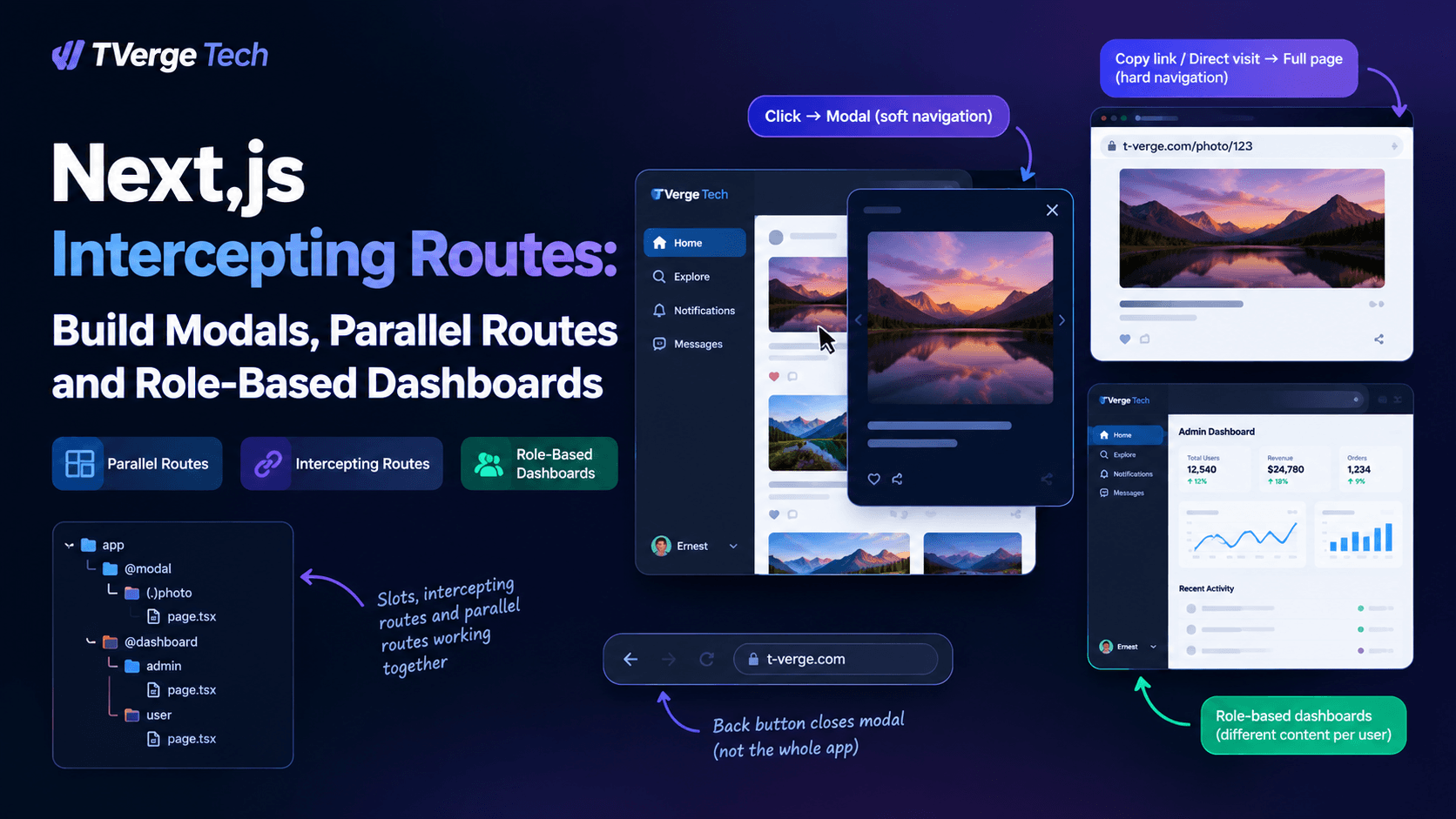
A user clicks a photo in a feed and a modal opens. They copy the URL, send it to a friend, and the friend sees a full photo page instead of a modal. The user presses refresh and the modal doesn't vanish. They press the browser's back button and the modal closes instead of throwing them out of the app.
That is the behavior people expect from a good modal, and it is very hard to build with component state alone. The Next.js App Router solves it at the routing layer with two file-system conventions: parallel routes and intercepting routes. Used together, they give you URL-addressable modals, independently streaming dashboard panels, and layouts that render different content depending on who is signed in.
This guide explains the mental model first, then builds a working modal system step by step. It then covers conditional dashboards, the security detail that most tutorials skip, a debugging checklist, and when not to use any of this. Everything here is checked against the official Next.js documentation, which is linked at the end.
Key takeaways
Slots (@folder) are not URL segments. They are named regions that your layout receives as props.
Intercepting routes only trigger on soft (client-side) navigation. A refresh or a direct visit always renders the real route.
The (.), (..), (..)(..) and (...) conventions count route segments, not folders on disk.
default.js decides what a slot renders after a hard navigation. Without it, Next.js renders a 404 for the unmatched slot.
When a layout picks between role-based slots, both slots still execute on the server. Authorize inside each slot, not just in the layout.
The mental model: slots, segments and two kinds of navigation
Three ideas explain almost every surprising behavior in this feature.
1. Slots are props, not paths. A folder named @modal or @analytics defines a slot. The official docs state that slots are not route segments and do not affect the URL, so app/@analytics/views/page.tsx is served at /views, not /@analytics/views. Each slot is passed to the nearest shared parent layout as a prop alongside children.
2. Soft and hard navigation behave differently. A soft navigation is a client-side transition, such as clicking a <Link> or calling router.push(). A hard navigation is a full page load: a refresh, a pasted URL, or a link opened in a new tab. During a soft navigation, Next.js updates only the slot that changed and keeps the other slots on whatever they were already showing, even if that no longer matches the URL. During a hard navigation, Next.js can't know what each slot used to show, so it renders each unmatched slot's default.js, or a 404 if there isn't one. You can read more in the Parallel Routes documentation.
3. Interception is a soft-navigation feature. Intercepting routes load a route from elsewhere in your app inside the current layout while masking the URL. The Intercepting Routes documentation describes the intended behavior clearly: clicking a photo in a feed can show it in a modal over the feed, but a shareable URL or a refresh should render the entire photo page, with no interception.
Keep these three ideas in mind and the rest of the article is mostly mechanics.
Parallel routes in practice
Parallel routes let one layout render several pages at once or choose between them. Given this structure:
children is itself an implicit slot, so app/page.tsx is equivalent to app/@children/page.tsx. That detail matters later, because children also needs a fallback.
One rendering-mode rule worth remembering
Slots combine with the regular page at the same route segment to form the final page. Because of this, you can't mix a statically prerendered slot and a dynamically rendered slot at the same segment level. If one slot is dynamic, every slot at that level must be dynamic. If you notice a whole segment unexpectedly becoming dynamic, check its slots first.
default.js: the fallback that prevents refresh 404s
Suppose @team has a /settings page and @analytics does not. Navigating softly to /settings updates @team and leaves @analytics showing its previous content. Refresh the page, though, and Next.js has no memory of that previous state. It renders @analytics/default.js, and if that file doesn't exist, you get a 404.
The documentation notes that this 404 is deliberate. It prevents a parallel route from accidentally rendering on a page it wasn't designed for. Because children is an implicit slot, it may also need its own default.js for the same reason.
A typical fallback is trivial:
// app/@modal/default.tsx
export default function Default() {
  return null
}
Interception uses folder-name prefixes that resemble relative paths. The official convention list is:
Prefix
Matches
(.)
Segments on the same level
(..)
Segments one level above
(..)(..)
Segments two levels above
(...)
Segments from the rootapp directory
The most common mistake is counting folders on disk. The docs are explicit that (..) is based on route segments, not the file system, and that it does not consider @slot folders. That is why the modal example in the next section uses (.) even though the intercepting file sits inside an @modal folder.
Build it: a shareable photo modal with dynamic routes
We'll build a photo gallery where clicking a thumbnail opens a modal at /photos/[id]. Visiting that same URL directly renders a full page. The pattern is the one the official docs describe, adapted to a dynamic segment.
File structure
app/
├── layout.tsx                      # renders {children} and {modal}
├── page.tsx                        # the feed
├── @modal/
│   ├── default.tsx                 # renders nothing when no modal is active
│   ├── [...catchAll]/
│   │   └── page.tsx                # renders nothing, closes modal on <Link> navigation
│   └── (.)photos/
│       └── [id]/
│           └── page.tsx            # the intercepted (modal) version
├── photos/
│   └── [id]/
│       └── page.tsx                # the full-page version
components/
├── modal.tsx                       # client component: behavior only
└── photo-detail.tsx                # server component: content
lib/
└── photos.ts                       # your data access (placeholder)
Why (.)photos and not (..)photos? Both @modal and photos sit directly under app. Because @modal is a slot and not a segment, the photos segment is on the same level as the intercepting route, so (.) is correct.
The official docs recommend separating the <Modal> behavior from the modal content. Because Modal is a Client Component that receives PhotoDetail as children, the content can stay a Server Component. The docs call out this benefit specifically for forms inside modals.
Step 6: the modal component
A native <dialog> element gives you focus containment, Escape to close, and a backdrop with far less code than a hand-rolled overlay.
// components/modal.tsx
'use client'

import { useEffect, useRef } from 'react'
import { useRouter } from 'next/navigation'

export function Modal({ children }: { children: React.ReactNode }) {
  const router = useRouter()
  const dialogRef = useRef<HTMLDialogElement>(null)

  useEffect(() => {
    const dialog = dialogRef.current
    if (dialog && !dialog.open) dialog.showModal()
  }, [])

  return (
    <dialog
      ref={dialogRef}
      aria-label="Photo details"
      onClose={() => router.back()}
      onClick={(event) => {
        // Clicks on the backdrop target the <dialog> itself.
        if (event.target === event.currentTarget) dialogRef.current?.close()
      }}
    >
      <button type="button" onClick={() => dialogRef.current?.close()}>
        Close
      </button>
      {children}
    </dialog>
  )
}
Two practical notes. First, the backdrop-click check only works if the dialog element has no padding of its own, so put spacing on an inner wrapper. Second, closing through dialog.close() fires the close event, which calls router.back(). That keeps the Escape key, the Close button, and backdrop clicks on a single code path.
Step 7: make sure the modal can close
Two fallbacks keep the slot well-behaved.
// app/@modal/default.tsx
export default function Default() {
  return null
}
// app/@modal/[...catchAll]/page.tsx
export default function CatchAll() {
  return null
}
The first covers hard navigations, where no modal should be showing. The second covers a subtle behavior the docs explain. When you navigate softly with a <Link> to a route that your slot no longer matches, the slot keeps showing its previous content. A catch-all route that returns null gives the slot something to match, so the modal disappears.
The documentation lists two ways to close a modal: router.back(), or a <Link> plus a null-returning slot page. router.back() is simpler when the modal was opened by clicking through the app. A <Link href="/"> is more predictable if someone could land on the modal state some other way.
If you want to see a complete working reference, the Next.js team maintains the Nextgram example, which demonstrates modals with intercepted and parallel routes.
Interception levels with dynamic and nested routes
Once the basic pattern works, the next question is usually "what if the routes aren't siblings?" Walk through the segment count, ignoring slots and route groups' file-system noise:
Intercepting /feed → /photo/[id] when the slot lives inside app/feed/@modal/: photo is one segment level above feed's contents, so the folder is (..)photo/[id].
Intercepting a top-level /login from anywhere in a deeply nested tree: use (...)login to match from the app root.
Intercepting two levels up: use (..)(..).
The recommended habit is to write the URL of the page you're intercepting, then count how many segments separate it from the URL where the slot is rendering. Ignore every @slot folder in that count.
Conditional dashboards with parallel routes
Parallel routes aren't only for modals. The docs describe using them to render different pages based on a condition, such as a user's role.
app/dashboard/
├── layout.tsx
├── default.tsx          # fallback for children
├── @admin/
│   └── page.tsx
└── @member/
    └── page.tsx
The official documentation includes a warning that is easy to miss. Both slots render on the server regardless of which one the layout returns. The conditional decides what the user sees, not what runs. @admin/page.js executes its data fetches for every visitor, and its output is included in the response sent to the browser.
That means a layout-level role check is not an authorization boundary. Authorize inside each slot's page, or in a Data Access Layer (DAL) that every data read goes through. The Authentication guide covers the DAL approach.
// app/dashboard/@admin/page.tsx
import { getAdminStats } from '@/lib/dal'

export default async function AdminPage() {
  // getAdminStats() must verify the admin role itself and throw or redirect otherwise.
  const stats = await getAdminStats()
  return <section><h2>Admin overview</h2>{/* render stats */}</section>
}
Treat the layout's conditional as presentation and your data layer as the enforcement point. If an unauthorized user can cause getAdminStats() to return data, the layout check won't save you.
Tab groups inside a slot
A slot can have its own layout, which lets users navigate within that slot independently, a natural fit for dashboard tabs.
// app/dashboard/@analytics/layout.tsx
import Link from 'next/link'

export default function AnalyticsLayout({ children }: { children: React.ReactNode }) {
  return (
    <>
      <nav aria-label="Analytics views">
        <Link href="/dashboard/page-views">Page views</Link>
        <Link href="/dashboard/visitors">Visitors</Link>
      </nav>
      <div>{children}</div>
    </>
  )
}
If a layout needs to know which page is active inside a slot, useSelectedLayoutSegment and useSelectedLayoutSegments accept a parallelRouteKey argument. For a slot named auth, useSelectedLayoutSegment('auth') returns "login" when the slot is showing /login. See the function reference.
Independent loading and error states
Because slots can stream independently, each can have its own loading.js and error.js. A slow analytics panel can show a skeleton while the rest of the dashboard is already interactive, and a failure in one slot doesn't have to take down the others. The Loading UI and Error Handling docs cover the details.
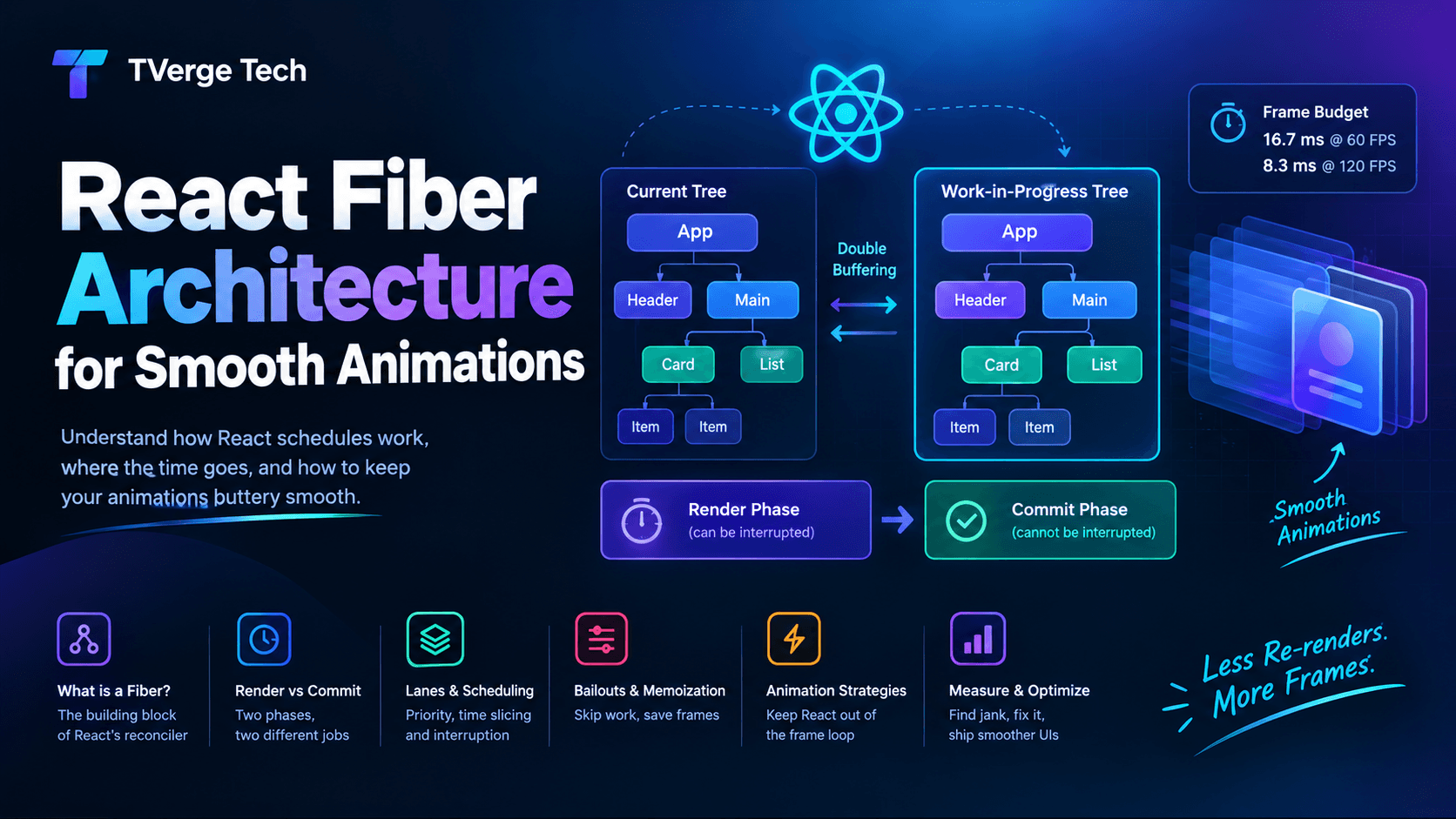
If you're building heavy, animated dashboard panels, it also helps to understand how React reconciles updates. Our guide to React Fiber reconciliation and heavy animations explains the render and commit phases that determine whether a slot update feels smooth.
Troubleshooting checklist
Most problems fall into a small number of categories.
Symptom
Likely cause
What to check
Clicking a link goes to the full page, never the modal
Hard navigation, or the wrong interception prefix
Use <Link> or the router, not <a>. Recount segments for (.)/(..)/(...)
Refresh shows a 404
A slot (or children) has no default.js
Add default.tsx returning null
Modal stays open after navigating elsewhere
Slot has no matching route for the new URL
Add a null-returning catch-all or page.tsx to the slot
Two modals appear at once
Several modal slots in a shared layout
Put all intercepted modal routes under a single slot
Slot state resets unexpectedly
A parent layout is remounting
Keep intercepting routes outside segments that own persistent state
Cache or revalidation behaves oddly when mutating from a modal
Known areas of reported issues in the Next.js repository
Test mutation, revalidation and close flows on your exact version
The last two rows come from recurring discussions in the public Next.js repository, not from documented guarantees. Behavior has changed across versions, so verify any mutation-from-a-modal flow on the version you actually deploy, and keep modal routes isolated from layouts that own long-lived state.
SEO and accessibility considerations
Crawlers see the real page. Search engines request URLs directly, which is a hard navigation, so /photos/42 always returns the full page and never the modal version. Put your generateMetadata, headings, and canonical content on the full-page route. The intercepted route is purely an in-app presentation layer.
Every modal URL should be a good standalone page. If /photos/42 renders poorly on its own, the shareable-link promise breaks the first time someone pastes it.
Use proper dialog semantics. A native <dialog> opened with showModal() provides focus containment and Escape-to-close. Give it an accessible name, return focus to the triggering element where your design allows it, and keep the close control reachable by keyboard.
Testing the two navigation modes
Because behavior diverges between soft and hard navigation, every intercepted route needs two tests. Here is a sketch using Playwright:
import { test, expect } from '@playwright/test'

test('opens as a modal from the feed', async ({ page }) => {
  await page.goto('/')
  await page.getByRole('link', { name: /photo/i }).first().click()
  await expect(page.getByRole('dialog')).toBeVisible()
  await expect(page).toHaveURL(/\/photos\/.+/)
})

test('renders a full page on direct visit', async ({ page }) => {
  await page.goto('/photos/1')
  await expect(page.getByRole('dialog')).toHaveCount(0)
  await expect(page.getByRole('heading', { level: 1 })).toBeVisible()
})

test('closes with the back button', async ({ page }) => {
  await page.goto('/')
  await page.getByRole('link', { name: /photo/i }).first().click()
  await page.goBack()
  await expect(page.getByRole('dialog')).toHaveCount(0)
  await expect(page).toHaveURL('/')
})
Add a fourth test that reloads while the modal is open and asserts the full page appears. That single test catches most missing default.js problems.
When not to use this pattern
Parallel and intercepting routes solve a specific problem: UI states that deserve their own URL. If a modal is a small confirmation dialog, a tooltip-like popover, or anything nobody would ever link to, plain component state is simpler and has fewer moving parts. Reach for interception when you want shareable, refresh-safe, history-aware overlays, and not simply because the feature exists.
Frequently asked questions
Do intercepting routes work without parallel routes?
Yes. Interception loads a route inside the current layout on its own. Pairing it with a parallel route slot is what makes the modal pattern work, because the slot gives the intercepted content a place to render alongside the page underneath.
Why does my intercepted modal disappear on refresh?
That is the designed behavior. A refresh is a hard navigation, so Next.js renders the real route instead of the intercepted version. The modal's content is still reachable at its URL, and it renders as a full page.
Are slot folders part of the URL?
No. Slots are named with an @ prefix and don't affect the URL structure.
Is it safe to hide admin content by choosing a slot in the layout?
No. Both slots execute on the server. Enforce authorization inside each slot's data access, as the official docs advise.
Do I need default.js for every slot?
You need it wherever a slot might be unmatched after a hard navigation. A null-returning default.tsx is a safe baseline for slots used as optional overlays.
Conclusion
Parallel and intercepting routes turn the file system into a small, declarative router for overlays and panels. Slots give your layout named regions. Interception swaps content in during soft navigation. default.js and catch-all pages define what happens everywhere else. The details that trip people up are consistent: count segments rather than folders, remember that a refresh is a different code path, and treat role-based slots as presentation while your data layer does the real authorization.
Start with one modal, write the soft-navigation and hard-navigation tests, and add dashboard slots only where independent streaming or role-based layouts earn their complexity.