Graceful Shutdown in Kubernetes: Drain HTTP Requests and Close Database Pools Cleanly
Every Kubernetes deployment ends pods constantly: rolling updates, autoscaling, node drains, spot instance reclaims. If your application treats each of those events as an instant death, users see failed requests, databases accumulate orphaned connections, and background work is silently lost.
A graceful shutdown is the opposite: the application stops taking new work, finishes what it already accepted, releases its resources in the right order, and exits on its own before Kubernetes has to force it.
This guide explains the full lifecycle. You will learn what Kubernetes actually does when it terminates a pod, why a naive SIGTERM handler is not enough, and how to build a shutdown sequence that drains HTTP requests and closes database connection pools. It includes a complete Node.js implementation, a Go equivalent, a matching Deployment manifest, a timeout budget, a test plan, and a troubleshooting table.
Why graceful shutdown matters
Consider a rolling update of an API with three replicas. Kubernetes starts a new pod, waits for it to become ready, then terminates an old one. During that termination, three things can go wrong:
In-flight requests are cut off. A client waiting on a response gets a connection reset or a truncated body.
New requests still arrive. The pod is shutting down, but load balancers and proxies may keep sending traffic for a few seconds, because the update to routing is not instant.
Resources leak. Database connections are dropped without a clean close, leaving the server to time them out. Queue messages are half-processed.
None of these show up in a local environment, which is why graceful shutdown is so often discovered in production, usually as a brief burst of 502 or 503 errors on every deploy.
The fix is not one setting. It is a small, ordered sequence that spans Kubernetes configuration, container setup, and application code. The sections below cover each layer.
What Kubernetes actually does when it terminates a pod
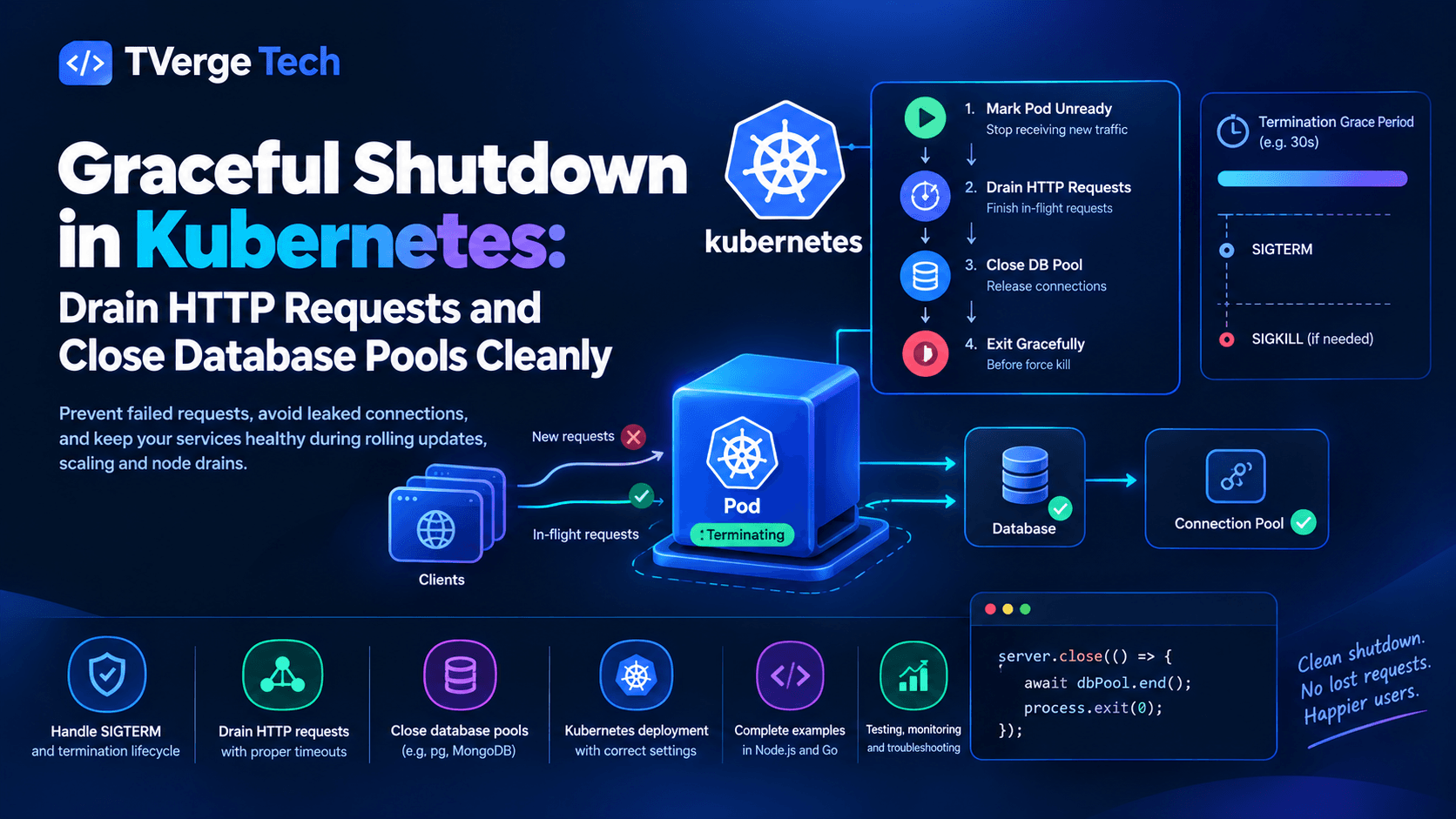
The API server sets a deletion timestamp, and the pod enters the Terminating state. The grace period countdown starts here (30 seconds by default).
In parallel, the control plane begins removing the pod from the endpoints of any Services that select it.
The kubelet runs the container's preStop hook, if one is defined.
After the hook completes, the kubelet sends SIGTERM to the main process (PID 1) of each container.
If containers are still running when the grace period ends, the kubelet sends SIGKILL, which cannot be caught or handled.
Two details in that sequence cause most real-world problems.
Endpoint removal and SIGTERM are not synchronized. Step 2 runs concurrently with steps 3 and 4. Removing a pod from endpoints has to propagate to kube-proxy, ingress controllers, service meshes, and cloud load balancers, and each hop takes time. For a short window your application may be receiving SIGTERM while new requests are still being routed to it. This is the single most important fact in this article.
The grace period is one shared budget. As the same pod lifecycle documentation explains, the countdown begins before the preStop hook runs, so hook time is spent from the same allowance your application needs for draining. The Kubernetes docs also note that if the hook is still running when the grace period expires, the kubelet grants only a small one-off extension (2 seconds).
The shutdown sequence you want
Given that behavior, a correct shutdown follows a strict order:
Wait briefly so routing changes propagate (a preStop delay).
Stop accepting new connections and mark the instance not-ready.
Close downstream resources in dependency order: database pools, caches, message clients, telemetry exporters.
Exit with an appropriate status code, before SIGKILL arrives.
Databases come last because in-flight request handlers still need them. If you close the pool first, every request still running will fail with a connection error, which defeats the purpose of draining.
Layer 1: Make sure the signal reaches your process
Before writing any handler, confirm that SIGTERM actually arrives. This is the most common silent failure.
Kubernetes signals PID 1 of the container. If your Dockerfile uses the shell form of CMD, PID 1 is a shell, and your application is a child process that may never receive the signal. Docker's reference on shell and exec forms explains why the exec form avoids this.
# Problematic: the shell becomes PID 1
CMD node server.js

# Correct: exec form makes node PID 1
CMD ["node", "server.js"]
The same applies to wrapper scripts. If you must use one, end it with exec node server.js so the shell replaces itself. Likewise, launching through a package manager script (for example npm start) adds an intermediate process; invoking node directly is the more reliable choice.
If your process spawns children and PID 1 has to reap zombies, run a small init process such as tini, or let the container runtime inject one.
A quick diagnostic: if pods consistently take the full grace period to terminate (30 seconds by default) and exit with code 137, your process never handled SIGTERM. Code 137 means 128 + 9 (SIGKILL). A clean handler exit after SIGTERM is usually 0, or 143 (128 + 15) if the process was terminated by the signal itself.
Layer 2: Configure the pod
Here is a Deployment that supports a clean shutdown. The comments explain each decision.
The preStop sleep is deliberately boring. Its only job is to hold the process alive and still serving while endpoint removal spreads through the cluster. After it finishes, SIGTERM arrives and the application drains. The container lifecycle hooks documentation defines when hooks run and what happens if they fail or hang.
Two implementation notes:
The native sleep action in preStop is available in recent Kubernetes versions. Check your cluster version in the official task guide on attaching handlers to container lifecycle events before relying on it.
The older alternative is exec: command: ["sleep", "8"]. That requires a sleep binary in the image, which minimal and distroless images often lack.
Probes during shutdown
Configure the readiness endpoint to return a non-2xx status as soon as shutdown begins. That keeps behavior correct for load balancers or proxies that use readiness checks rather than endpoint membership. The liveness endpoint should keep returning success during the drain; otherwise the kubelet may restart a container that is doing exactly what you asked. The official guide to configuring liveness, readiness and startup probes covers the semantics of each probe type.
Rolling update strategy
maxUnavailable: 0 with maxSurge: 1 ensures a replacement is ready before an old pod terminates. This protects capacity but does not replace graceful shutdown; the old pod still has to drain properly.
Also remember that a PodDisruptionBudget governs voluntary evictions such as node drains, not Deployment rollouts. The Kubernetes documentation on disruptions and PodDisruptionBudgets explains how the two interact.
Layer 3: The timeout budget
Everything must fit inside terminationGracePeriodSeconds. Write the budget down explicitly:
Phase
Where it runs
Budget
preStop delay
Kubernetes hook
8 s
HTTP drain
Application
20 s
Pool and client close
Application
5 s
Safety margin
Reserve
7 s
Total
terminationGracePeriodSeconds
40 s minimum (45 s set)
Inside the application, the hard deadline should be shorter than what remains after the hook: 45 − 8 = 37 seconds, so a 30-second internal deadline leaves headroom. The rule of thumb is that your own timeouts must expire before Kubernetes' does, so you control how the process dies and can log what went wrong.
Choose the drain timeout from your real latency profile. If your slowest legitimate request takes 12 seconds at the 99.9th percentile, a 5-second drain will cut users off. If you have long-lived streams or uploads, see the note on long-running connections below.
Layer 4: Application code in Node.js
This example uses Express and node-postgres, but the pattern applies to any framework built on Node's http.Server.
The server and health endpoints
// server.js
import http from "node:http";
import { setTimeout as sleep } from "node:timers/promises";
import express from "express";
import pg from "pg";

const app = express();
const pool = new pg.Pool({
  connectionString: process.env.DATABASE_URL,
  max: 10,
});

let shuttingDown = false;

// Ask keep-alive clients to reconnect elsewhere once we start shutting down
app.use((req, res, next) => {
  if (shuttingDown) res.set("Connection", "close");
  next();
});

app.get("/healthz", (req, res) => res.status(200).send("ok"));

app.get("/readyz", (req, res) =>
  shuttingDown
    ? res.status(503).send("shutting down")
    : res.status(200).send("ready")
);

app.get("/orders/:id", async (req, res, next) => {
  try {
    const { rows } = await pool.query(
      "SELECT id, status, total FROM orders WHERE id = $1",
      [req.params.id]
    );
    res.json(rows[0] ?? null);
  } catch (err) {
    next(err);
  }
});

// Demo route used by the shutdown test later in this article
app.get("/slow", async (req, res) => {
  await sleep(3000);
  res.send("finished");
});

const server = http.createServer(app);
server.listen(3000, () => log("info", "listening", { port: 3000 }));

function log(level, msg, extra = {}) {
  console.log(JSON.stringify({ level, msg, ...extra, ts: new Date().toISOString() }));
}
The Connection: close header matters. HTTP keep-alive connections can stay open across many requests. Without the header, a client may keep reusing a connection to a pod that is trying to leave. With it, the client opens its next connection through the load balancer and lands on a healthy instance. If you want to inspect these structured log lines while testing, paste them into the JSON Formatter & Validator.
The shutdown routine
// shutdown.js (appended to server.js)
const DRAIN_TIMEOUT_MS = 20_000;
const POOL_TIMEOUT_MS = 5_000;
const HARD_DEADLINE_MS = 30_000;

function closeServer(srv, timeoutMs) {
  return new Promise((resolve) => {
    const timer = setTimeout(() => {
      log("warn", "drain timeout, closing remaining connections");
      srv.closeAllConnections();   // Node 18.2+
      resolve("forced");
    }, timeoutMs);

    // Stop accepting new connections; callback fires when all have ended
    srv.close(() => {
      clearTimeout(timer);
      resolve("drained");
    });

    // Free idle keep-alive sockets immediately (Node 18.2+)
    srv.closeIdleConnections();
  });
}

function withTimeout(promise, ms, label) {
  let timer;
  const timeout = new Promise((_, reject) => {
    timer = setTimeout(() => reject(new Error(`${label} timed out`)), ms);
  });
  return Promise.race([promise, timeout]).finally(() => clearTimeout(timer));
}

async function shutdown(signal) {
  if (shuttingDown) return;            // ignore duplicate signals
  shuttingDown = true;
  log("info", "shutdown started", { signal });

  // Last-resort guard: exit before Kubernetes sends SIGKILL
  const hardExit = setTimeout(() => {
    log("error", "hard deadline reached, exiting");
    process.exit(1);
  }, HARD_DEADLINE_MS);
  hardExit.unref();

  let exitCode = 0;
  try {
    const result = await closeServer(server, DRAIN_TIMEOUT_MS);
    log("info", "http server closed", { result });

    // Stop queue consumers or schedulers here, before closing the pool

    await withTimeout(pool.end(), POOL_TIMEOUT_MS, "pool.end");
    log("info", "database pool closed");
  } catch (err) {
    log("error", "shutdown error", { error: err.message });
    exitCode = 1;
  } finally {
    process.exit(exitCode);
  }
}

process.on("SIGTERM", () => shutdown("SIGTERM"));
process.on("SIGINT", () => shutdown("SIGINT"));
Why each piece exists
The signal handlers. By default, Node terminates the process when it receives SIGTERM, so without a handler none of the cleanup below ever runs. The Node.js documentation on process signal events covers how process.on("SIGTERM") and SIGINT listeners work and which signals cannot be handled.
server.close() stops the server from accepting new connections and invokes its callback once existing connections have ended. See the official server.close() reference for the exact semantics.
closeIdleConnections() matters because idle keep-alive sockets count as open connections and can keep close() from completing. Node added the method in v18.2.0, and from Node 19 server.close() calls it for you. Calling it explicitly is harmless and keeps the code correct on Node 18.
closeAllConnections() is the forced fallback. When the drain deadline passes, any request still running is cut. That is a deliberate, logged decision rather than an accident of SIGKILL.
pool.end() comes after the HTTP drain. In node-postgres, ending the pool stops it from issuing new clients and disconnects clients as they are released. The consequence is that a leaked, never-released client can make pool.end() hang, which is why the call is wrapped in a timeout. The node-postgres Pool API documentation describes this behavior. If you suspect leaked clients in general, the Node.js memory leak guide covers diagnosing resource leaks, and the article on V8 garbage collection tuning in containers explains the memory side of container limits.
The duplicate-signal guard prevents running the sequence twice if SIGINT and SIGTERM both arrive, for example when a developer presses Ctrl+C and the orchestrator sends a signal around the same time.
Handling transactions in flight
A request that has started a database transaction when shutdown begins is the riskiest case. Because the drain waits for the HTTP response, the handler normally gets to COMMIT or ROLLBACK before the pool closes. Two practices keep this safe:
Always release clients in a finally block so pool.end() can complete, as the node-postgres Pool documentation recommends for checked-out clients.
Keep transactions short. Long transactions that hold row locks compete with your drain deadline. For lock behavior and isolation trade-offs, see the post on SELECT FOR UPDATE and isolation levels.
If a transaction is forced to abort at the deadline, the database will roll it back when the connection drops. That is safe by design, but it is still a failed user operation, so size the deadline to avoid it.
Layer 5: The same pattern in Go
Go's standard library has first-class support. The official documentation for http.Server.Shutdown states that it closes listeners, closes idle connections, and waits for active ones to finish, up to the context deadline. Signal handling is simplified by signal.NotifyContext, which returns a context that is cancelled when the listed signals arrive.
ListenAndServe returns http.ErrServerClosed immediately when Shutdown is called. Your main goroutine must wait for Shutdown itself to return, not for ListenAndServe, or the process may exit mid-drain.
Shutdown does not wait for hijacked connections such as WebSockets. Use Server.RegisterOnShutdown, documented alongside Shutdown, to notify those handlers so they can close their own connections.
Pass the request context into database calls (QueryContext). That lets in-flight queries be cancelled when a client disconnects, instead of holding the pool open.
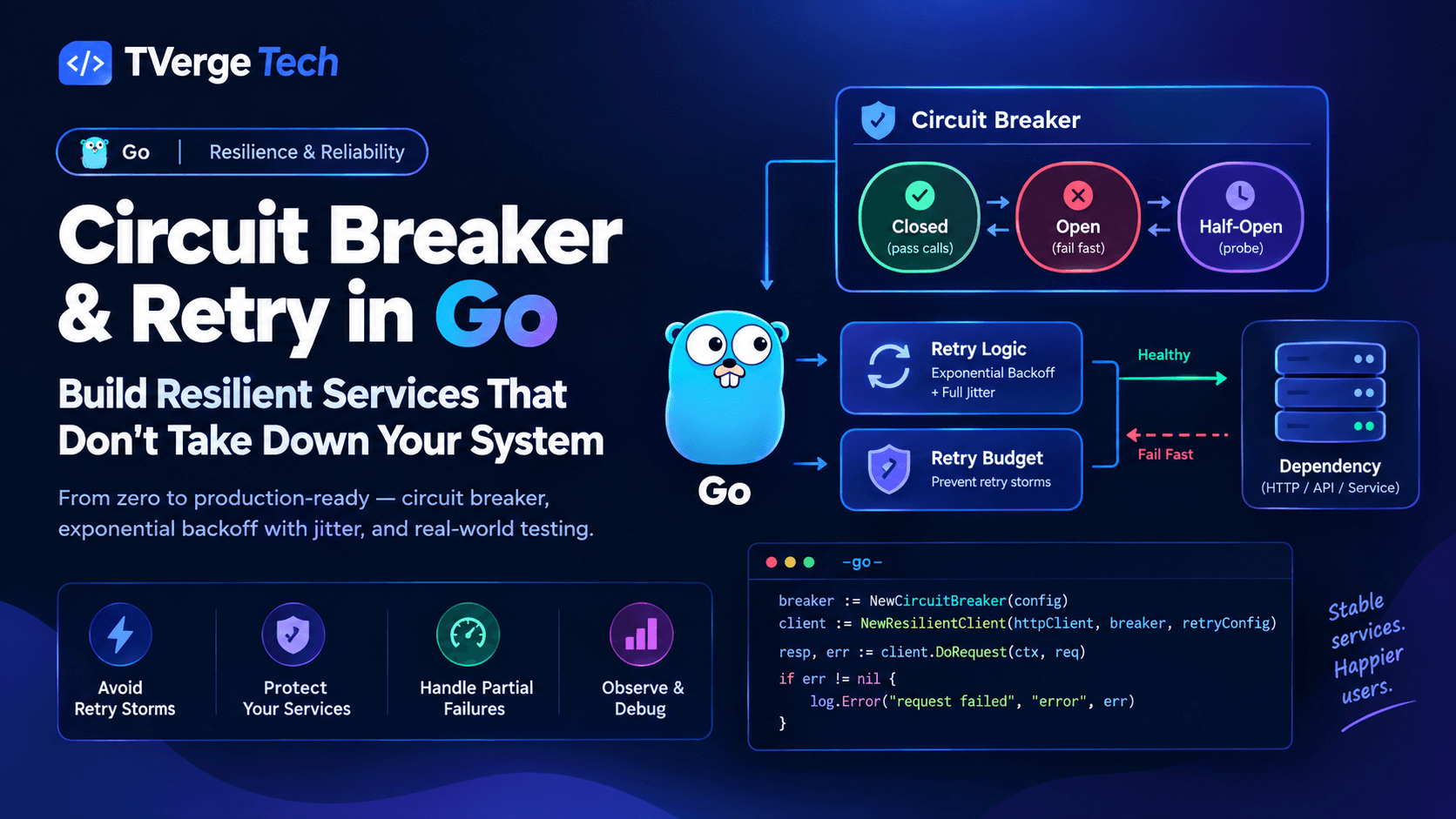
If your service calls other services, shutdown also interacts with retry behavior. A client retrying against a terminating pod can amplify load; see Go circuit breakers and retries for retry budgets and jitter.
Long-running connections: WebSockets, SSE, and uploads
The drain assumes requests finish in seconds. Some do not.
WebSockets and Server-Sent Events never end on their own. On shutdown, send a close frame (or a final event) with a "reconnect" hint, then close the socket. Clients should reconnect with backoff and land on a different pod.
Large uploads and downloads may legitimately run for minutes. Either extend the grace period for that workload, make the transfer resumable, or accept that the deadline will interrupt a few of them. Streaming code that respects backpressure also shuts down more cleanly; see Node.js streams and backpressure.
Background workers should stop pulling new jobs on SIGTERM, finish or re-queue the current job, and acknowledge only completed work. Make job handlers idempotent so that a job re-delivered after a forced exit is harmless.
Test it before production does
Graceful shutdown is easy to believe in and hard to verify by reading code. Test it at two levels.
Local signal test
Start the server, begin a slow request, send SIGTERM, and confirm the request still completes:
Expected result: finished with status=200, followed by the shutdown log lines. If curl reports a connection reset, the handler did not wait for the request.
Cluster rollout test
Run a steady request load against the Service, then trigger a rollout and watch for errors:
kubectl rollout restart deployment/orders-api
kubectl rollout status deployment/orders-api
Use any load tool you trust (hey, k6, wrk, or a simple loop) and compare the count of 5xx responses and connection errors with and without the preStop delay. Run it a few times; propagation timing varies, so one clean run is not proof.
Also check pod termination behavior directly:
kubectl get pods -w
kubectl describe pod <pod-name>   # look at exit code and termination reason
An exit code of 137 on a routine rollout means the process was killed rather than exiting cleanly, which matches the SIGKILL stage of the pod termination sequence described earlier.
Troubleshooting: symptoms and likely causes
Symptom
Likely cause
Fix
502/503 burst at the start of every rollout
Traffic still routed during SIGTERM
Add a preStop delay; verify readiness returns 503 on shutdown
Pods always take the full grace period
Signal never reaches the app (shell-form CMD, wrapper script)
Use exec form; end scripts with exec
Exit code 137 on normal rollouts
Drain exceeded the grace period
Budget timings; lower the drain deadline; raise terminationGracePeriodSeconds
pool.end() never resolves
Leaked client never released
Release in finally; wrap end() in a timeout
"Connection terminated" errors in requests during shutdown
Idle and long-lived connections handled explicitly.
Structured logs for every shutdown phase, so a bad rollout is diagnosable.
Rollout tested under load, not just locally.
Frequently asked questions
What is the default termination grace period in Kubernetes?
The default is 30 seconds. You can change it per pod with terminationGracePeriodSeconds. After it expires, the kubelet sends SIGKILL.
Does the preStop hook run before or after SIGTERM?
Before. The kubelet runs the preStop hook first and sends SIGTERM after it completes. The hook's runtime counts against the grace period.
Why do I still see errors if my app handles SIGTERM correctly?
Usually because traffic is still being routed to the pod when the signal arrives. Endpoint removal runs in parallel with termination, so a short preStop delay is needed to cover propagation through proxies and load balancers.
Should I close the database pool before or after the HTTP server?
After. In-flight requests still need database access. Close the HTTP server and let requests finish, then stop background consumers, then close the pool.
Is process.exit() safe inside a shutdown handler?
Only at the end, after cleanup has finished. Calling it early discards pending work. Setting process.exitCode and letting the event loop empty is also valid, but explicit exit after cleanup, combined with a hard deadline, is more predictable when stray handles keep the loop alive.
Can I handle SIGKILL?
No. SIGKILL cannot be caught, blocked or ignored. The goal of graceful shutdown is to exit cleanly before it arrives.
Conclusion
Graceful shutdown on Kubernetes is a coordination problem across three layers: the cluster (probes, preStop, grace period), the container (signals reaching your process), and the application (ordered draining and resource cleanup). The core ideas are few: expect traffic to keep arriving briefly after termination begins, finish accepted work within a defined deadline, close dependencies in reverse order of use, and make every timeout expire before Kubernetes' does.
Start by confirming your process receives SIGTERM, add the preStop delay, then implement the drain and pool close with explicit timeouts. Finally, verify the result with a rollout under load. Once you can restart a deployment with zero failed requests, deploys stop being something to schedule around.
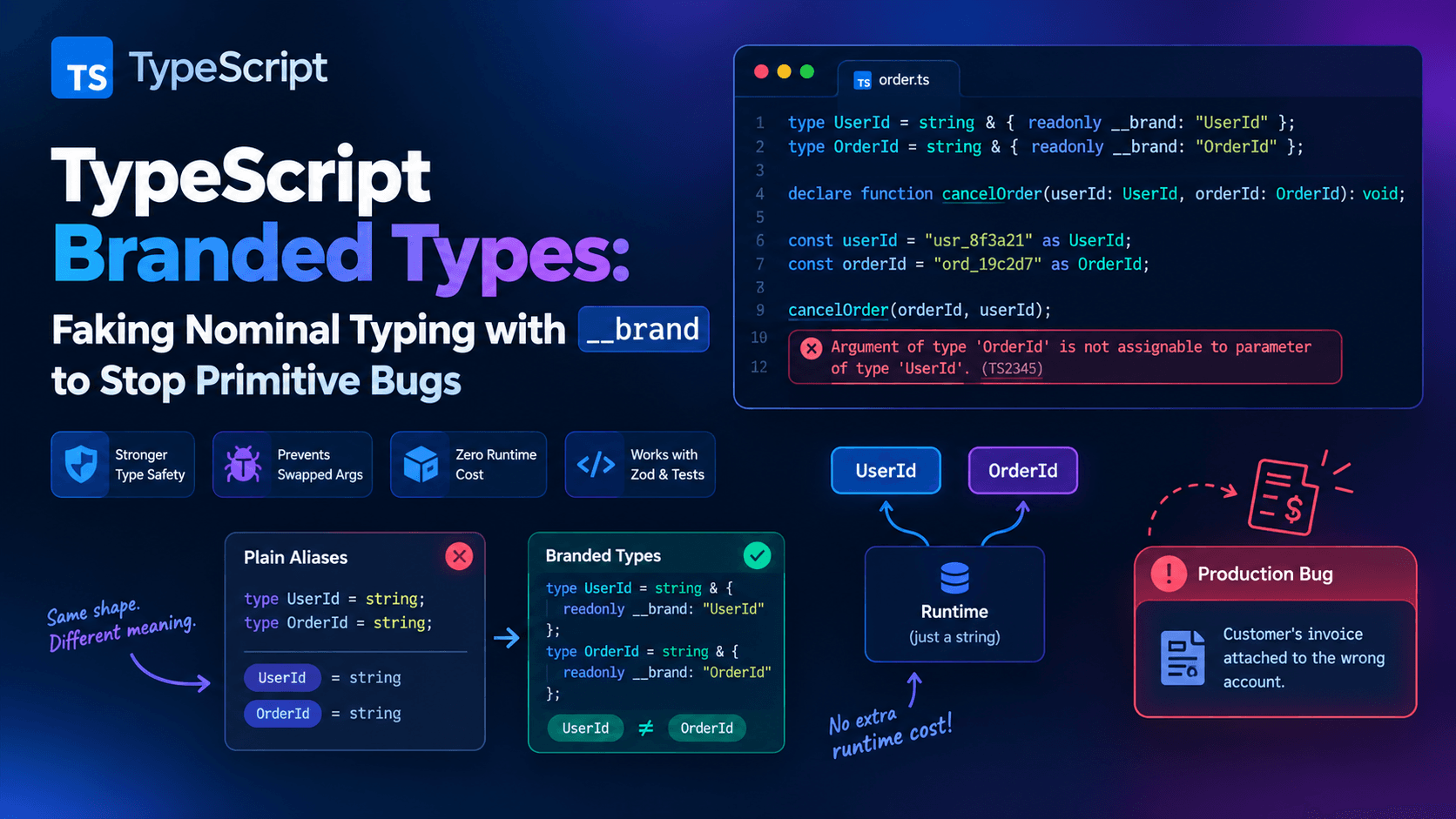
3TypeScript Branded Types: Nominal Typing with __brand