October 26, 2026Nwankwo Ernest Onyebuchi19 min read
Was this useful?
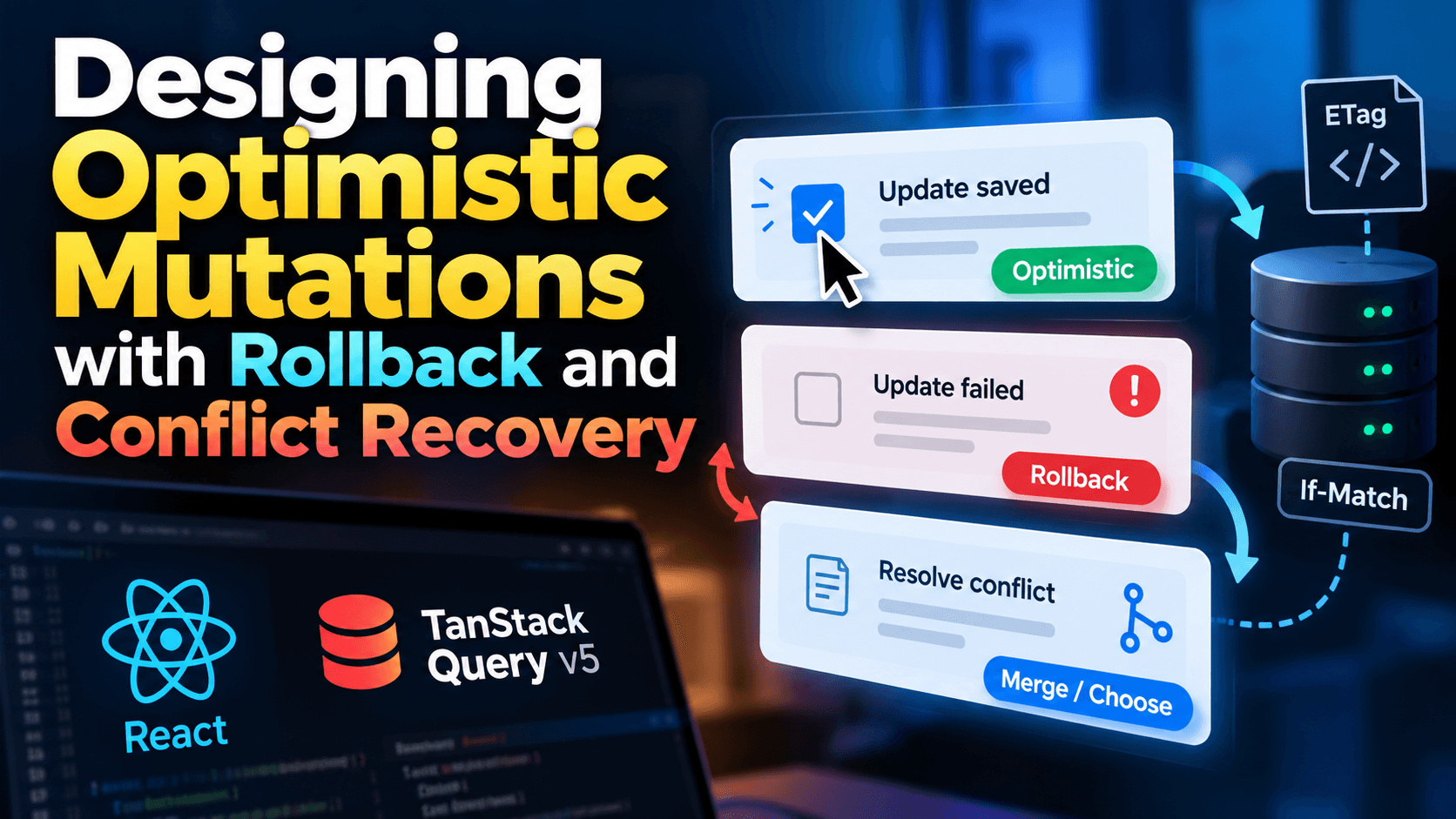
Designing Optimistic Mutations with Rollback and Conflict Recovery
You tap a checkbox and it ticks instantly. A moment later, the server says no, because someone else edited the same record, the session expired, or the network dropped. What happens next decides whether your app feels fast and trustworthy or fast and unreliable.
That is the real engineering problem behind optimistic updates. Showing the change early is the easy part. The hard part is everything that follows: undoing the change safely, detecting that two people edited the same thing, merging their work without silently destroying either version, and doing all of that while requests overlap, retry and arrive out of order.
This guide walks through a complete design for optimistic mutations with rollback and conflict recovery, using React and TanStack Query v5 for the examples. The principles apply to any stack. By the end you will have:
A clear mental model of confirmed, optimistic and conflicted state
A mutation that snapshots, patches and reverts without clobbering concurrent edits
Versioned writes using ETag and If-Match for server-side conflict detection
A three-way merge that resolves harmless conflicts automatically
A retry strategy that is safe because writes are idempotent
A UI contract for pending, failed and conflicted states
A normal mutation waits for the server before the UI changes. An optimistic mutation changes the UI first, assuming success, then reconciles when the server answers.
That sounds simple, but it quietly creates a second version of reality in your app. At any moment, a single record can exist in three states:
State
Meaning
Where it lives
Confirmed
The last version the server acknowledged
Query cache, refreshed from the server
Optimistic
A local guess applied on top of confirmed data
Query cache patch or component-level overlay
Conflicted
A local change the server rejected because the record moved on
Held aside until it is resolved
Good designs keep these three states explicit. Bad designs blur them, and that is where "ghost" items, flickering values and lost edits come from.
The question to ask for every write is: what should the user see if this fails, and what should happen to what they typed? If you cannot answer both parts, the mutation is not ready to be optimistic.
The failure modes you are designing for
Most tutorials cover one failure: the request errors and you restore a snapshot. Real applications face at least six.
Failure mode
What goes wrong
Primary defense
Network failure
Request never reaches the server
Retry with idempotency, then rollback
Validation or permission rejection (4xx)
Server refuses the change
Rollback and explain
Concurrent edit
Someone else changed the record first
Versioned writes plus conflict recovery
Overlapping writes
Two requests for one record race each other
Per-resource serialization
Stale refetch
A background refetch overwrites the optimistic value
Cancel in-flight queries first
Duplicate submission
A retry or double-tap applies the change twice
Idempotency keys
A robust design handles each one deliberately rather than hoping the happy path covers them.
When optimistic updates are a good idea
Optimistic updates fit actions that usually succeed and are cheap to undo: toggling a like, ticking a task, renaming an item, reordering a list, or adding a comment.
They are a poor fit when the outcome is not yours to predict or the action is hard to reverse: payments, irreversible deletions, anything that sends an email or triggers an external side effect, and operations whose result depends on server-side rules you cannot reproduce on the client. For those, show a clear pending state and wait for confirmation.
A useful test: if a failure would force you to apologize to the user, do not guess ahead of the server.
Step 1: Model your data so conflicts are detectable
You cannot recover from a conflict you cannot detect. Two small decisions up front make everything else possible.
Give every record a version
Add a monotonically increasing version (or use an ETag) to each mutable resource. The server increments it on every successful write.
export type Todo = {
  id: string;
  title: string;
  done: boolean;
  version: number; // incremented by the server on every write
  updatedAt: string;
};

export type TodoPatch = Partial<Pick<Todo, "title" | "done">>;
Generate IDs on the client for new records
When a user creates an item optimistically, it needs an identity before the server responds. Generate a UUID on the client and let the server accept it. That avoids the awkward swap from a temporary ID to a server ID, which breaks keys, selections and links. If you need sample UUIDs while prototyping or seeding test data, the Bulk UUID/GUID Generator can produce them in batches.
Step 2: Write a mutation that snapshots, patches and reverts
Here is the standard lifecycle in TanStack Query v5, as described in the official optimistic updates guide: cancel outgoing refetches, snapshot the current value, apply the optimistic change, and return the snapshot so error handlers can use it.
import { useMutation, useQueryClient } from "@tanstack/react-query";

export const todoKeys = {
  detail: (id: string) => ["todos", "detail", id] as const,
  updateMutation: (id: string) => ["todos", "update", id] as const,
};

type UpdateVars = {
  id: string;
  patch: TodoPatch;
  base: Todo; // the version the user was looking at when they edited
};

export function useUpdateTodo(id: string) {
  const qc = useQueryClient();
  const detailKey = todoKeys.detail(id);

  return useMutation({
    mutationKey: todoKeys.updateMutation(id),
    scope: { id: `todo-${id}` }, // serialize writes for this record (see Step 3)
    mutationFn: (vars: UpdateVars) => saveTodo(vars), // defined in Step 5

    onMutate: async (vars) => {
      // 1. Stop in-flight refetches from overwriting our optimistic value
      await qc.cancelQueries({ queryKey: detailKey });

      // 2. Snapshot what the user currently sees
      const previous = qc.getQueryData<Todo>(detailKey);

      // 3. Apply the optimistic overlay
      qc.setQueryData<Todo>(detailKey, (old) =>
        old ? { ...old, ...vars.patch } : old,
      );

      return { previous };
    },

    onError: (error, vars, ctx) => {
      // Conflict handling comes in Step 5. For ordinary failures, revert.
      if (!isConflict(error) && ctx?.previous) {
        qc.setQueryData<Todo>(detailKey, (current) =>
          current ? revertFields(current, vars.patch, ctx.previous!) : current,
        );
      }
    },

    onSettled: () => {
      // Reconcile with the server once the last write for this record is done
      if (qc.isMutating({ mutationKey: todoKeys.updateMutation(id) }) === 1) {
        return qc.invalidateQueries({ queryKey: detailKey });
      }
    },
  });
}
Note that recent v5 releases also pass a context argument to these callbacks that exposes the query client. Check the signature for the version you have installed, and use whichever form it documents.
Why you should not blindly restore the snapshot
The simplest rollback is setQueryData(key, ctx.previous). It works when exactly one write is in flight. It breaks the moment two overlap:
User renames an item to "B" (snapshot: "A").
User then toggles it done (snapshot: "B", done false).
The rename fails and restores "A", which also wipes the optimistic toggle that is still pending.
The fix is a targeted revert: undo only the fields this mutation changed, and only if the cache still holds this mutation's value.
export function revertFields(current: Todo, patch: TodoPatch, previous: Todo): Todo {
  const next: Record<string, unknown> = { ...current };
  for (const [key, value] of Object.entries(patch)) {
    // Only revert if a later edit has not already replaced our value
    if (current[key as keyof Todo] === value) {
      next[key] = previous[key as keyof Todo];
    }
  }
  return next as Todo;
}
Why invalidate only when the last write settles
If you invalidate after every write, a refetch can land between two writes and briefly show the older server value, so the UI flickers backward before moving forward. The isMutating(...) === 1 check, a pattern the TanStack docs link to under their concurrent optimistic updates guidance, defers the refetch until the final in-flight mutation for that record finishes. The count includes the mutation currently settling, which is why the comparison is to 1.
Step 3: Serialize writes per resource
Parallel writes to the same record are the root of most "it worked on my machine" bugs. By default, TanStack Query runs mutations in parallel. The mutations guide explains that mutations sharing a scope.id run in serial: a new one waits while another in that scope is in progress.
That is exactly what we want. Edits to one record go through a single-file queue, while edits to different records still run in parallel. This also pairs well with versioned writes: each queued request can carry the latest known version instead of racing with its predecessor.
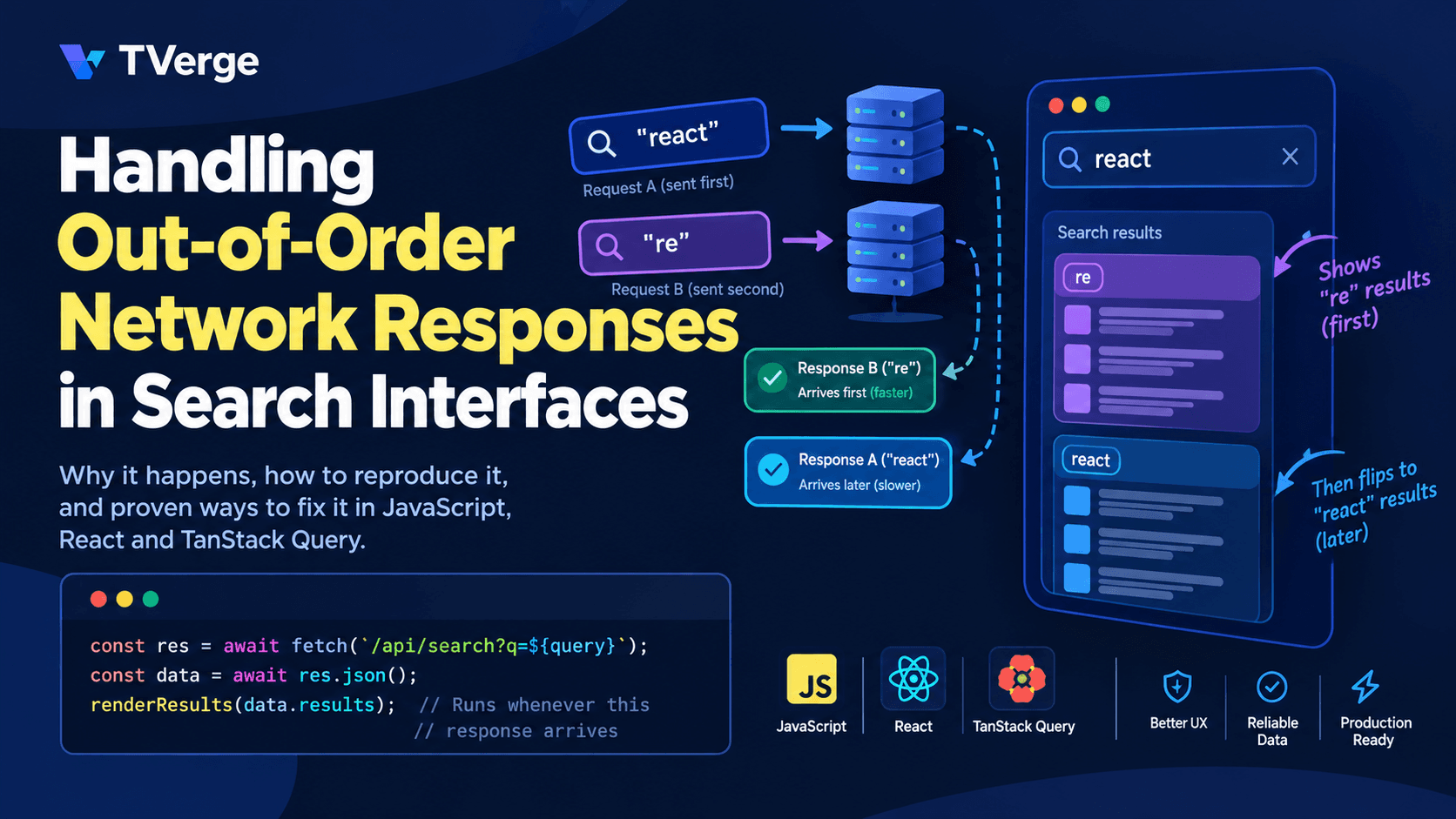
If your UI also runs searches or filtered lists that can respond out of order, the same class of problem applies to reads. Our guide on fixing out-of-order network responses in search UIs covers that side.
Step 4: Detect conflicts on the server
Optimistic concurrency control means: apply this change only if the record is still at the version I edited. HTTP has a built-in mechanism for this.
The server sends an ETag identifying the current version of the resource.
The client echoes it in an If-Match header when saving.
If the version has changed, the server refuses the write with 412 Precondition Failed.
MDN's reference for If-Match describes this as a way to prevent the lost update problem, and notes that it uses strong comparison, so weak validators (prefixed with W/) never match. Use strong ETags for write preconditions. The ETag reference explains how these identifiers are generated and used to avoid mid-air collisions.
Some APIs return 409 Conflict instead, which signals that the request conflicts with the current state of the resource. Either is reasonable. What matters is that the contract is consistent and that the response body carries the current server version, so the client can recover without an extra round trip.
On the database side, the check is a compare-and-swap:
UPDATE todos
SET title = $1, done = $2, version = version + 1, updated_at = now()
WHERE id = $3 AND version = $4
RETURNING *;
-- Zero rows returned => version mismatch => respond 412 with the current row
Now the client side of the contract:
export class HttpError extends Error {
  constructor(public readonly status: number) {
    super(`HTTP ${status}`);
    this.name = "HttpError";
  }
}

export class ConflictError extends Error {
  constructor(public readonly current: Todo) {
    super("Version conflict");
    this.name = "ConflictError";
  }
}

export class UnresolvedConflictError extends Error {
  constructor(
    public readonly theirs: Todo,
    public readonly mine: TodoPatch,
    public readonly fields: string[],
  ) {
    super("Conflict requires a decision");
    this.name = "UnresolvedConflictError";
  }
}

export const isConflict = (e: unknown) =>
  e instanceof ConflictError || e instanceof UnresolvedConflictError;

type SendVars = {
  id: string;
  patch: TodoPatch;
  baseVersion: number;
  idempotencyKey: string;
};

export async function sendUpdate(vars: SendVars): Promise<Todo> {
  const res = await fetch(`/api/todos/${vars.id}`, {
    method: "PATCH",
    headers: {
      "Content-Type": "application/json",
      "If-Match": `"${vars.baseVersion}"`,
      "Idempotency-Key": vars.idempotencyKey,
    },
    body: JSON.stringify(vars.patch),
  });

  if (res.status === 412 || res.status === 409) {
    throw new ConflictError(await res.json()); // server returns the current record
  }
  if (!res.ok) throw new HttpError(res.status);
  return res.json();
}
If you are working with an unfamiliar API response while building this contract, the JSON Formatter & Validator helps you inspect it, and the JSON to TypeScript Converter can turn a sample response into typed interfaces.
Step 5: Recover from conflicts instead of just failing
When a conflict arrives you have four basic strategies. The right one depends on how costly a lost edit is.
Strategy
How it works
Best for
Risk
Reject and refresh
Discard the local change, show server data
Low-value edits (reactions, toggles)
User loses their intent silently, so tell them
Last write wins
Retry with the newest version, overwriting
Single-user data, settings
Overwrites someone else's work
Automatic field merge
Merge non-overlapping changes, retry
Records with independent fields
Needs a correct merge rule
Ask the user
Show both versions, let them pick
Rich text, high-value content
More UI and more friction
The most useful default for structured records is a hybrid: merge automatically when the changes do not overlap, and ask the user only when they truly collide.
A three-way merge for non-overlapping edits
A three-way merge compares three things: the base (what the user started from), mine (what they changed), and theirs (the current server record). A field only conflicts if both sides changed it, and to different values.
Now wire it into the save function. On a conflict it merges, retries once on top of the latest version, and escalates to the user only if the merge is not clean.
export async function saveTodo(vars: UpdateVars): Promise<Todo> {
  const idempotencyKey = crypto.randomUUID();

  try {
    return await sendUpdate({
      id: vars.id,
      patch: vars.patch,
      baseVersion: vars.base.version,
      idempotencyKey,
    });
  } catch (err) {
    if (!(err instanceof ConflictError)) throw err;

    const merge = threeWayMerge(vars.base, vars.patch, err.current);
    if (merge.kind === "conflict") {
      throw new UnresolvedConflictError(err.current, vars.patch, merge.fields);
    }

    // Our fields do not overlap with theirs: replay on top of the latest version
    try {
      return await sendUpdate({
        id: vars.id,
        patch: vars.patch,
        baseVersion: err.current.version,
        idempotencyKey: crypto.randomUUID(), // new precondition, so a new key
      });
    } catch (retryErr) {
      if (retryErr instanceof ConflictError) {
        throw new UnresolvedConflictError(retryErr.current, vars.patch, Object.keys(vars.patch));
      }
      throw retryErr;
    }
  }
}
Two design choices matter here:
Conflict recovery lives inside mutationFn. The mutation lifecycle then only sees the final outcome, so onError stays small and the UI is not told about conflicts you resolved automatically.
A conflict is not a rollback. For an unresolved conflict, the optimistic value is replaced with the server's current record, and the user's draft is kept available through the mutation's error and variables, which TanStack Query does not clear on failure. That way, nothing the user typed is thrown away.
Add the conflict branch to onError from Step 2:
onError: (error, vars, ctx) => {
  if (error instanceof UnresolvedConflictError) {
    // Show the server's truth; keep the user's draft in mutation.variables
    qc.setQueryData<Todo>(detailKey, error.theirs);
    return;
  }
  if (ctx?.previous) {
    qc.setQueryData<Todo>(detailKey, (cur) =>
      cur ? revertFields(cur, vars.patch, ctx.previous!) : cur,
    );
  }
},
Step 6: Make retries and offline replay safe
TanStack Query does not retry failed mutations by default, but you can opt in with the retry option. Retrying a write is only safe if the server treats a repeated request as the same request.
Use idempotency keys
Send a unique key per logical write (the Idempotency-Key header is a widely used convention, though not yet a finalized standard). The server stores the result under that key and returns the saved response if the same key arrives again. A dropped response then cannot cause a double-apply.
Retry only what is retryable
retry: (failureCount, error) => {
  if (isConflict(error)) return false;                      // needs a decision, not a retry
  if (error instanceof HttpError && error.status < 500) return false; // 4xx will not improve
  return failureCount < 3;                                  // network errors and 5xx
},
Retrying a 400, 403 or 422 just delays the inevitable rollback.
Think about offline
When the device is offline, TanStack Query pauses mutations and resumes them in order once connectivity returns. The mutations guide also covers persisting paused mutations and resuming them after a reload. One detail is easy to miss: functions cannot be serialized, so you must register default mutation functions (for example with setMutationDefaults) so that a persisted mutation knows what to run after hydration.
Offline replay raises one more design point. A queued write may be hours old by the time it runs, so conflicts become far more likely. That is exactly why the version check and merge logic above matter. Without them, offline-first optimistic UI is an engine for silent data loss.
Step 7: Design the UI contract
The best data layer still feels broken if the interface hides what is happening. Give each state a visible, honest treatment.
State
Suggested treatment
Pending
Normal content with a subtle indicator (reduced opacity, small spinner)
Failed (retryable)
Inline message with a Retry button, using the preserved variables
Rolled back
Brief, non-blocking notice explaining the value was restored and why
Conflict
A clear banner offering Keep theirs and Apply mine
A conflict banner is a small amount of code on top of the mutation:
function TodoEditor({ todo }: { todo: Todo }) {
  const update = useUpdateTodo(todo.id);
  const err = update.error;

  return (
    <section>
      {/* ...inputs call update.mutate({ id: todo.id, patch, base: todo }) */}

      {err instanceof UnresolvedConflictError && (
        <div role="alert">
          <p>
            This item changed while you were editing ({err.fields.join(", ")}).
          </p>
          <button onClick={() => update.reset()}>Keep theirs</button>
          <button
            onClick={() =>
              update.mutate({ id: todo.id, patch: err.mine, base: err.theirs })
            }
          >
            Apply mine
          </button>
        </div>
      )}
    </section>
  );
}
"Apply mine" re-submits the user's draft against the server's latest version, which is a deliberate, informed overwrite.
Accessibility matters here too. Use role="alert" or an aria-live region so screen reader users hear that a change was reverted or needs attention. A silent rollback is especially disorienting if you cannot see the screen change.
A simpler option: React 19's useOptimistic
React ships a built-in hook for the same idea. According to the useOptimistic reference, it lets you show a different state while an async Action is underway, and the setter must be called inside an Action (a startTransition callback or a form action).
import { useOptimistic } from "react";

function EditTitle({ title, save }: { title: string; save: (t: string) => Promise<void> }) {
  const [optimisticTitle, setOptimisticTitle] = useOptimistic(title);

  async function action(formData: FormData) {
    const next = String(formData.get("title"));
    setOptimisticTitle(next);
    try {
      await save(next);
    } catch {
      // Show an error message here; the optimistic value drops automatically
    }
  }

  return (
    <form action={action}>
      <input name="title" defaultValue={optimisticTitle} />
      <button type="submit">Save</button>
    </form>
  );
}
The value is derived from the real state plus any pending optimistic input, so when the Action finishes, React discards the optimistic layer and automatically shows whatever the real state now is. That gives you rollback for free.
What it does not give you is conflict detection, merge logic, retries or cross-component cache updates. Choose it for simple, local interactions, especially with Server Actions. Reach for a query cache when several parts of the screen depend on the same record, when you need retries and offline support, or when conflicts are realistic.
Testing the unhappy paths
Optimistic code that is only tested on the happy path will fail in production. At minimum, cover these scenarios, ideally with a mocked network layer where you control timing:
Single failure: the value reverts and an error is shown.
Two overlapping edits, first fails: the second edit survives the first one's rollback.
Version conflict, disjoint fields: the merge retry succeeds with no user prompt.
Version conflict, same field: the banner appears and the draft is preserved.
Dropped response then retry: the server applies the write exactly once (idempotency).
Slow refetch during a write: the optimistic value is not overwritten.
Offline then reconnect: queued writes replay in order and conflicts are handled.
Add artificial latency and random failures in development so slow and failing requests are part of everyday use rather than a surprise.
Common mistakes to avoid
Skipping cancelQueries. A refetch that resolves after your optimistic write can silently replace it.
Restoring a whole snapshot with overlapping writes. Revert only the affected fields.
Invalidating after every write. Wait until the last in-flight write settles.
Mutating cached objects in place. Always return new objects from updater functions.
Retrying non-idempotent writes. Without idempotency keys, retries can duplicate effects.
Treating 4xx like network errors. Retrying a rejection only delays the rollback.
Failing silently. If a change is undone, tell the user.
Optimistic updates for irreversible actions. Wait for the server.
Frequently asked questions
What is an optimistic update?
An optimistic update changes the interface immediately, assuming the server will accept the change, and then reconciles with the real result. If the server rejects the change, the interface is corrected.
How do I roll back an optimistic update safely?
Snapshot the value before applying the change, return it from onMutate, and revert only the fields that mutation touched when it fails. Then refetch once the last in-flight write settles to confirm the true server state. Restoring a whole snapshot is only safe when no other writes overlap.
How do I detect conflicts between two users editing the same record?
Version every record and require the version on writes. With HTTP, send the current ETag in an If-Match header. The server rejects the request with 412 Precondition Failed (or 409 Conflict) if the record has changed, and returns the current version so the client can recover.
Should I use useOptimistic or TanStack Query?
Use useOptimistic for simple, local interactions where automatic revert is enough. Use a query cache when multiple components share the data, when you need retries, offline replay or devtools inspection, or when real conflicts are likely.
Is last write wins ever acceptable?
Yes, for low-stakes data owned by a single user, such as personal settings. For shared or valuable data, prefer a field-level merge or an explicit user choice so no one's work disappears silently.
Conclusion
Optimistic UI is a promise to the user: this will work, and if it does not, you will not lose anything important. Keeping that promise takes more than a snapshot and a setQueryData call.
Keep confirmed, optimistic and conflicted state separate. Serialize writes per record. Version every mutable resource and check the version on the server. Merge harmless conflicts automatically and hand genuine ones to the user with their draft intact. Make retries safe with idempotency keys. And design the UI so the user can always see what is pending, what failed and what needs a decision.
Start with the smallest slice that matters: one mutation, a targeted revert and a version check. Then add merge and offline support as your product demands them. For more practical guides like this one, browse the TVerge Tech blog.
The code samples are simplified for clarity. Test them against your own API contract, your installed library versions and your accessibility requirements before shipping to production.
3JavaScript == Explained: The Abstract Equality Algorithm