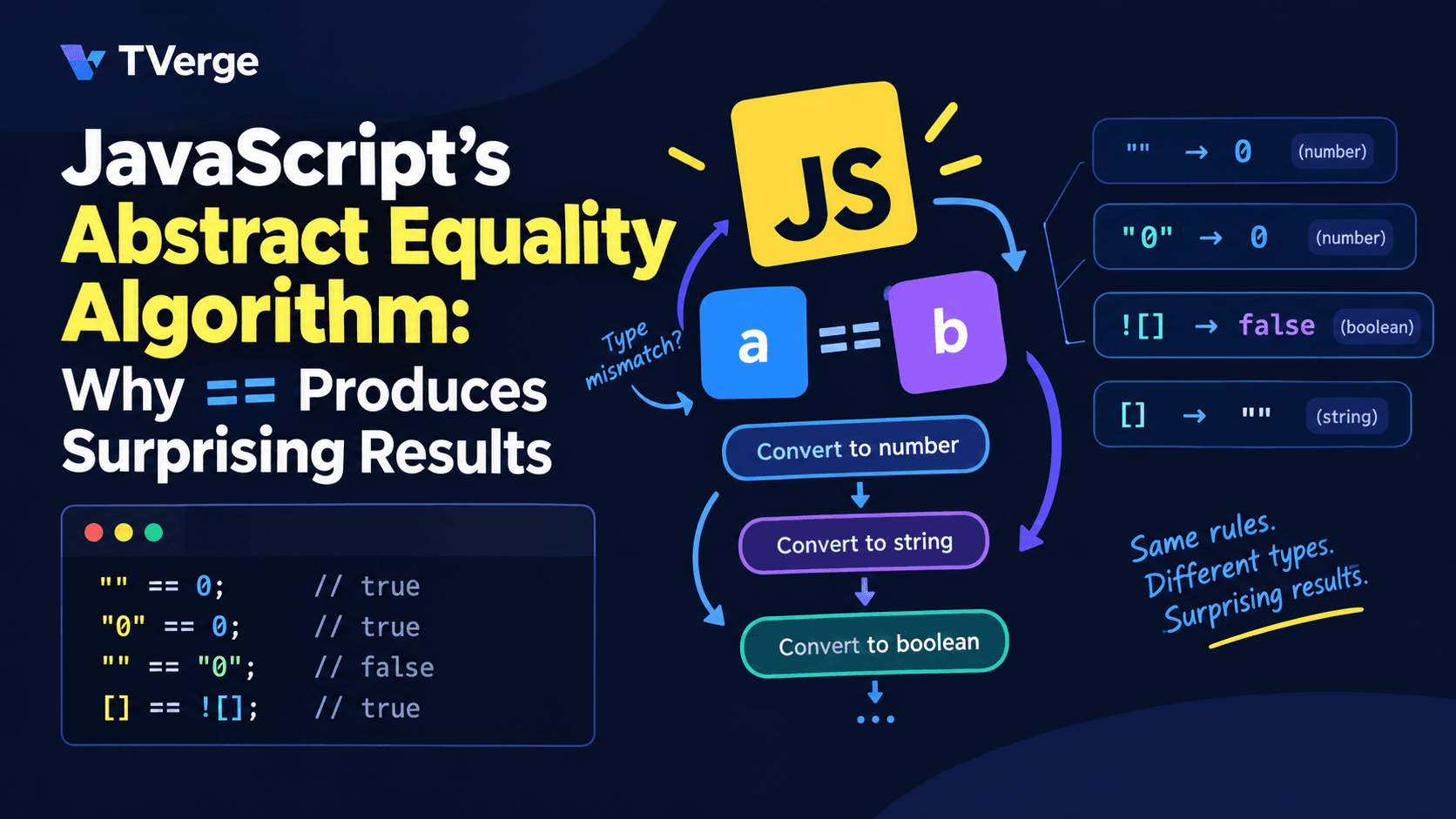
If the first three results make you uneasy, you are noticing something real. Loose equality in JavaScript is not transitive, so a == b and b == c do not guarantee a == c. The fourth line looks like a bug in the language, yet it follows directly from a published algorithm.
That algorithm is what this guide covers. By the end you will be able to predict the result of any == comparison by hand, explain why the odd results happen, and decide when == is acceptable and when to use something else.
Quick Answer
The == operator runs the abstract equality algorithm. The current ECMAScript specification calls it IsLooselyEqual. If both operands have the same type, it behaves exactly like ===. If the types differ, it converts one or both operands, following a fixed sequence of rules, until the types match. It then compares them. Most surprises come from those conversions, especially booleans and objects being turned into numbers or strings.
JavaScript has several ways to ask whether two values are "the same":
Operator or function
Spec name
Coerces types?
Notes
==
IsLooselyEqual
Yes
Converts operands when types differ
===
IsStrictlyEqual
No
Different types are never equal
Object.is()
SameValue
No
Treats NaN as equal to itself and distinguishes +0 from -0
Older material, including the ES5 specification, uses the name "Abstract Equality Comparison." Newer editions of the spec renamed it IsLooselyEqual. Both names describe the same behavior behind == and !=.
MDN's guide to equality comparisons and sameness describes == as comparing two values after converting both to a common type. After the conversions, the final comparison is performed the same way === performs it. That sentence is the key to everything below.
The Algorithm, Step by Step
Here is the logic of x == y in plain language, simplified from the ECMAScript specification for IsLooselyEqual. The rules run in order, and the first one that matches wins.
Step
Condition
What happens
1
x and y have the same type
Return the result of x === y
2
One is null and the other is undefined
Return true
3
One is a Number and the other is a String
Convert the String to a Number, then compare again
4
One is a BigInt and the other is a String
Convert the String to a BigInt. If that is impossible, return false. Otherwise compare again
5
Either operand is a Boolean
Convert the Boolean to a Number (true becomes 1, false becomes 0), then compare again
6
One is an Object and the other is a String, Number, BigInt or Symbol
Convert the Object to a primitive, then compare again
7
One is a BigInt and the other is a Number
Compare their mathematical values. NaN and the infinities are never equal to a BigInt
8
Anything else
Return false
There is also a legacy exception in the spec's Annex B for a special host object, document.all, which loosely equals null and undefined. You will almost never meet it outside browser-compatibility code.
Three details are worth memorizing:
The algorithm is recursive. After one conversion, it starts over from step 1. A single == can pass through several conversions before it reaches a plain strict comparison.
null and undefined are special. They are equal to each other and to nothing else. They are never converted to 0 or false by ==.
Booleans are converted first. The boolean rule fires before the object rule, which explains many strange array results.
Walking Through the Surprising Results
The best way to trust the algorithm is to trace it by hand. Here are the most common surprises.
Example 1: "0" == false is true
"0" is a String and false is a Boolean, so the types differ.
Step 5 applies: false becomes 0. The comparison is now "0" == 0.
Step 3 applies: "0" becomes 0. The comparison is now 0 == 0.
The types match, so the strict comparison runs and returns true.
Notice that "0" is a truthy string in conditions like if ("0"), yet it loosely equals false. Truthiness and loose equality are separate mechanisms, and mixing them up causes many bugs.
Example 2: [] == false is true
[] is an Object and false is a Boolean.
Step 5 comes before the object rule, so false becomes 0: [] == 0.
Now the object rule applies. Converting [] to a primitive gives "" (an empty array's string form is empty). The comparison is "" == 0.
Step 3 converts "" to 0: 0 == 0, which is true.
Example 3: [] == ![] is true
This one looks absurd until you evaluate the right side first.
![] runs the logical NOT operator. An array is truthy, so ![] is false.
The expression is now [] == false, which Example 2 just showed is true.
The result has nothing to do with an array equaling its own negation. It is two separate rules, NOT and ==, running one after the other.
Example 4: null == 0 is false, but null >= 0 is true
The relational operators (<, >, <=, >=) do not use the abstract equality algorithm. They convert both sides to numbers directly, so null becomes 0 and null >= 0 is true. The == operator has its own rule: null equals only undefined. Do not assume the two families of operators agree with each other.
Example 5: Whitespace and number formats
When a String is converted to a Number, JavaScript parses it with numeric-literal rules and trims whitespace. These are all true:
An empty or whitespace-only string converts to 0, which is why "" == 0 is true.
Example 6: Booleans against strings
"1" == true;      // true:  "1" == 1
"true" == true;   // false: "true" becomes NaN, and NaN == 1 is false
"2" == true;      // false: 2 == 1 is false
A developer who expects "true" == true to be true is reading the string as text. The algorithm reads it as a number, and the text "true" is not a valid number.
Why == Is Not Transitive
Transitivity is the idea that if a equals b and b equals c, then a equals c. Loose equality breaks it:
"0" == 0;     // true
0 == "";      // true
"0" == "";    // false (both are Strings, so a plain string comparison runs)
The first two comparisons convert a String to a Number. The third compares two Strings directly, and "0" and "" are different text. Because the algorithm picks a different rule for each pair, the results cannot line up into a consistent equivalence relation. This is the strongest argument for treating == with care in code you do not fully control. It is also one reason MDN notes that some developers consider loose equality almost never a good idea.
Loose equality is symmetric, though: a == b always gives the same result as b == a.
Objects, ToPrimitive, and Hidden Method Calls
When an object meets a primitive, JavaScript converts the object using an operation called ToPrimitive. That operation can run your own code.
For ordinary objects, it first looks for a Symbol.toPrimitive method. If none exists, it tries valueOf() and then toString(). The first one that returns a non-object value wins.
[1] == 1;              // true  ([1] becomes "1", then 1 == 1)
[1, 2] == "1,2";       // true  (array's string form is "1,2")
({}) == "[object Object]"; // true
new String("a") == "a";    // true
new String("a") == new String("a"); // false (two distinct objects)
The last line matters. When both operands are objects, they have the same type, so step 1 applies and the result is a reference comparison. Two different objects are never equal, even with identical contents.
The Date Exception
Date objects define their own Symbol.toPrimitive behavior and treat the default hint as a string. That makes this surprising:
const d = new Date(0);

d == d.toString(); // true  (compares as a string)
d == 0;            // false (string form is parsed as a number, giving NaN)
A Date compared loosely against its own timestamp does not match. To compare dates reliably, use a.getTime() === b.getTime().
A Hidden Side Effect
Because ToPrimitive can run user code, a comparison can have side effects, throw an error, or return different values on each call:
That is a contrived example, but it shows why == against objects is hard to reason about in a large codebase. If an object has custom conversion logic, a harmless-looking comparison may behave in unexpected ways.
BigInt and Symbol
BigInt values (such as 10n) compare by mathematical value against Numbers, so 1n == 1 is true and 2n ** 53n == 2 ** 53 is true. Comparing a BigInt to a String converts the string to a BigInt, and "abc" == 1n is false because the string cannot be converted.
Symbols are straightforward. A Symbol primitive is never loosely equal to a non-Symbol primitive. A Symbol wrapper object does convert back to its underlying symbol, so Object(sym) == sym is true.
NaN: The Value That Is Not Equal to Itself
NaN follows the IEEE 754 floating-point standard, which says it is not equal to anything, including itself:
NaN == NaN;   // false
NaN === NaN;  // false
Object.is(NaN, NaN); // true
Neither == nor === can detect NaN. Use Number.isNaN(value) for that. Object.is() works too, but Number.isNaN states the intent more clearly.
A Working Model You Can Run
Reading a specification is easier once you have implemented a piece of it. Here is a compact version of the algorithm in JavaScript. It skips BigInt handling and the Annex B exception to stay readable, but it reproduces the behavior in every example above.
const type = (v) =>
  v === null ? "null" : typeof v === "function" ? "object" : typeof v;

const isObject = (v) => type(v) === "object";

function toPrimitive(obj) {
  const exotic = obj[Symbol.toPrimitive];
  if (exotic) return exotic.call(obj, "default");

  for (const method of ["valueOf", "toString"]) {
    const result = obj[method]?.();
    if (!isObject(result)) return result;
  }
  throw new TypeError("Cannot convert object to primitive value");
}

function looselyEqual(x, y) {
  const tx = type(x);
  const ty = type(y);

  // Step 1: same type, so strict comparison
  if (tx === ty) return x === y;

  // Step 2: null and undefined equal each other only
  if (
    (tx === "null" && ty === "undefined") ||
    (tx === "undefined" && ty === "null")
  ) {
    return true;
  }

  // Step 3: Number and String
  if (tx === "number" && ty === "string") return looselyEqual(x, Number(y));
  if (tx === "string" && ty === "number") return looselyEqual(Number(x), y);

  // Step 5: Booleans become Numbers
  if (tx === "boolean") return looselyEqual(Number(x), y);
  if (ty === "boolean") return looselyEqual(x, Number(y));

  // Step 6: Objects become primitives
  const primitives = ["string", "number", "symbol"];
  if (isObject(y) && primitives.includes(tx)) {
    return looselyEqual(x, toPrimitive(y));
  }
  if (isObject(x) && primitives.includes(ty)) {
    return looselyEqual(toPrimitive(x), y);
  }

  // Step 8: everything else
  return false;
}

console.log(looselyEqual([], false));   // true
console.log(looselyEqual("0", false));  // true
console.log(looselyEqual(null, 0));     // false
console.log(looselyEqual(NaN, NaN));    // false
Try adding console.log calls inside each branch. Watching [] == false pass through the boolean rule, the object rule, and the string rule is the fastest way to make the algorithm stick.
Why Does == Behave This Way?
JavaScript was designed for scripting web pages, where much of the data is text. Form fields, URL parameters, and attributes arrive as strings, and a language that quietly converts them to the types you want was a reasonable convenience in that setting. Loose equality carries that philosophy into comparisons.
The cost is that conversion rules multiply as the language grows. Booleans, objects, and later BigInt and Symbol each needed their own rules. Backward compatibility means those rules cannot be changed without breaking existing websites, so the behavior is permanent. That is why modern guidance focuses on how you write code, not on waiting for the language to change.
When Is == Actually Fine?
Most style guides ban it, but there is one widely accepted use: checking for null or undefined in one expression.
if (value == null) {
  // true for both null and undefined, nothing else
}
This works because of step 2: null and undefined equal each other and nothing else, so no other value can sneak through. It is shorter than value === null || value === undefined and has no hidden conversions.
If your team prefers full explicitness, writing both checks is fine. The point is that this specific pattern is predictable, while == with mixed types is not.
Better Alternatives
Use === by default
Strict equality never converts types. If the types differ, the result is false. MDN describes strict equality as almost always the correct comparison operation. The behavior is easy to read, review, and debug.
Convert explicitly when you need conversion
If you receive a string and need a number, say so in the code:
// Unclear
if (input == 5) { ... }

// Clear
if (Number(input) === 5) { ... }
Explicit conversion shows readers where the type change happens. It also lets you validate first, for example by rejecting empty strings or NaN before comparing.
Use Object.is for special numeric cases
Object.is treats NaN as equal to itself and distinguishes +0 from -0. Reach for it in numeric libraries and in places where those differences matter.
Compare structured data deliberately
Neither == nor === compares the contents of objects or arrays. For that you need a deliberate approach, such as comparing specific fields, serializing a canonical form, or using a well-tested utility. Never rely on an array or object stringifying in a particular way.
Enforce the Rule With ESLint
You do not have to rely on memory. ESLint's eqeqeq rule reports uses of == and != and can fix many of them automatically. A common configuration permits the value == null pattern while banning everything else:
Check the rule's documentation for the options supported by your ESLint version, because configuration formats differ between the older .eslintrc style and the newer flat config.
TypeScript Helps, But Not Completely
TypeScript reports an error when you compare two types that can never overlap, such as a number and a string, whether you use == or ===. That catches many mistakes at compile time. It does not catch everything. Values typed as any, unknown, or broad unions can still slip through, and data parsed from JSON may not match the types you declared.
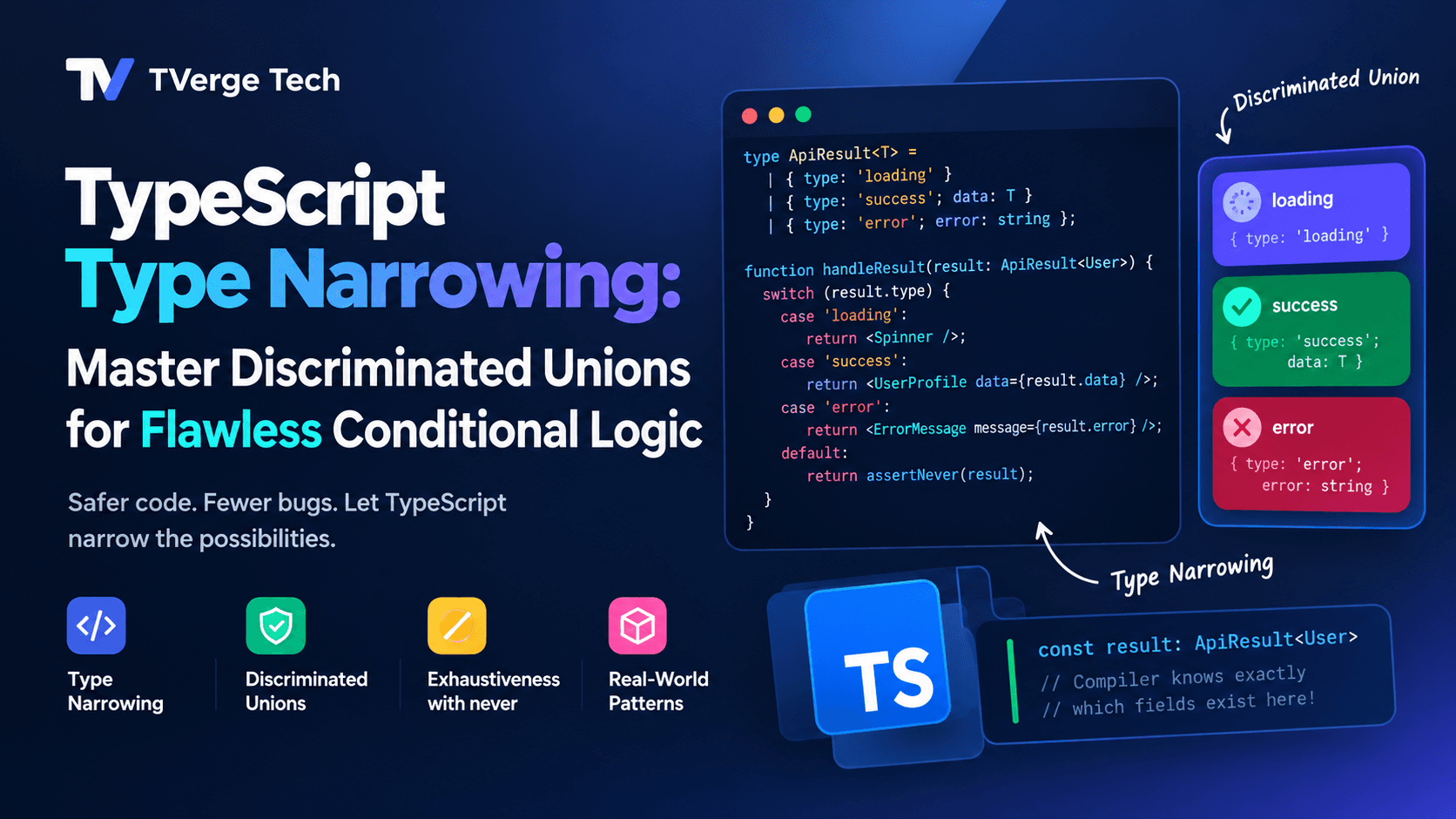
Validating external data at the boundary is the reliable fix. Our guide to TypeScript discriminated unions shows how to model such data safely so comparisons operate on values you already understand.
Practical Checklist for Real Projects
Default to === and !==. Treat any == in a code review as a question worth asking.
Allow == null only if your team agrees on it. Document the decision in your lint config.
Convert at the boundary. Parse strings from forms, query strings, and APIs into the types you want as soon as they enter your code.
Validate before converting.Number("") is 0, which is rarely what you want. Check for empty input first.
Never compare objects with == expecting content equality. It compares references.
Use Number.isNaN for NaN checks. Neither equality operator can detect it.
Inspect your API data. Numeric IDs that arrive as strings are a classic source of == bugs. When you are debugging a response, paste it into the JSON Formatter & Validator to see exactly which values are quoted strings and which are real numbers. The JSON to TypeScript Converter then turns a sample response into typed interfaces, which makes mismatches visible earlier.
Common Mistakes
Mistake 1: Assuming truthiness predicts equality."0" is truthy, yet "0" == false is true. The two systems are unrelated.
Mistake 2: Trusting a quick console test. Passing a few cases does not mean the rule is safe. Edge cases like "", "0", [], [0], and whitespace strings are where behavior diverges.
Mistake 3: Mixing relational and equality operators.null >= 0 is true while null == 0 is false. Do not infer one from the other.
Mistake 4: Comparing dates with ==. Compare timestamps with getTime() instead.
Mistake 5: Memorizing results instead of the rules. A lookup table of oddities does not scale. Understanding the algorithm lets you reason about cases you have never seen.
Frequently Asked Questions
What is the difference between == and === in JavaScript?
== converts operands to a common type before comparing, following the abstract equality algorithm. === does not convert anything and returns false when the types differ. Use === unless you have a specific reason to allow conversion.
Is abstract equality the same as loose equality?
Yes. "Abstract Equality Comparison" is the older specification name and "loose equality" is the common informal name. Current spec editions call the operation IsLooselyEqual. All of these refer to the behavior of ==.
Why does [] == false return true?
The boolean false is converted to 0. The empty array is then converted to a primitive, which is the empty string "". The empty string converts to 0, and 0 == 0 is true.
Why is null == undefined true but null == 0 false?
The algorithm has an explicit rule that null and undefined are equal to each other. It has no rule that converts null to a number, so null == 0 falls through to the final step and returns false.
Should I ever use == in modern JavaScript?
The most defensible use is value == null to check for both null and undefined. For everything else, === is easier to read and less error-prone. Many teams enforce this with the ESLint eqeqeq rule.
Does === have any surprises of its own?
A few. NaN === NaN is false, and +0 === -0 is true. Two objects with identical contents are not strictly equal unless they are the same reference. These behaviors come from floating-point rules and reference semantics, not from type conversion.
Conclusion
JavaScript's abstract equality algorithm is not random. It is a fixed, ordered list of rules: strict comparison when the types match, a special case for null and undefined, string-to-number conversion, booleans converted to numbers, and objects converted to primitives. Each surprising result in this article comes from applying those rules in order.
Once you can trace the algorithm, [] == ![] stops being a joke and becomes a short, deterministic calculation. The practical lesson is to stay away from the cases where it matters. Use ===, convert data explicitly where it enters your program, and let a linter enforce the habit.