React Data Layer: Caching, Retries & Optimistic Updates
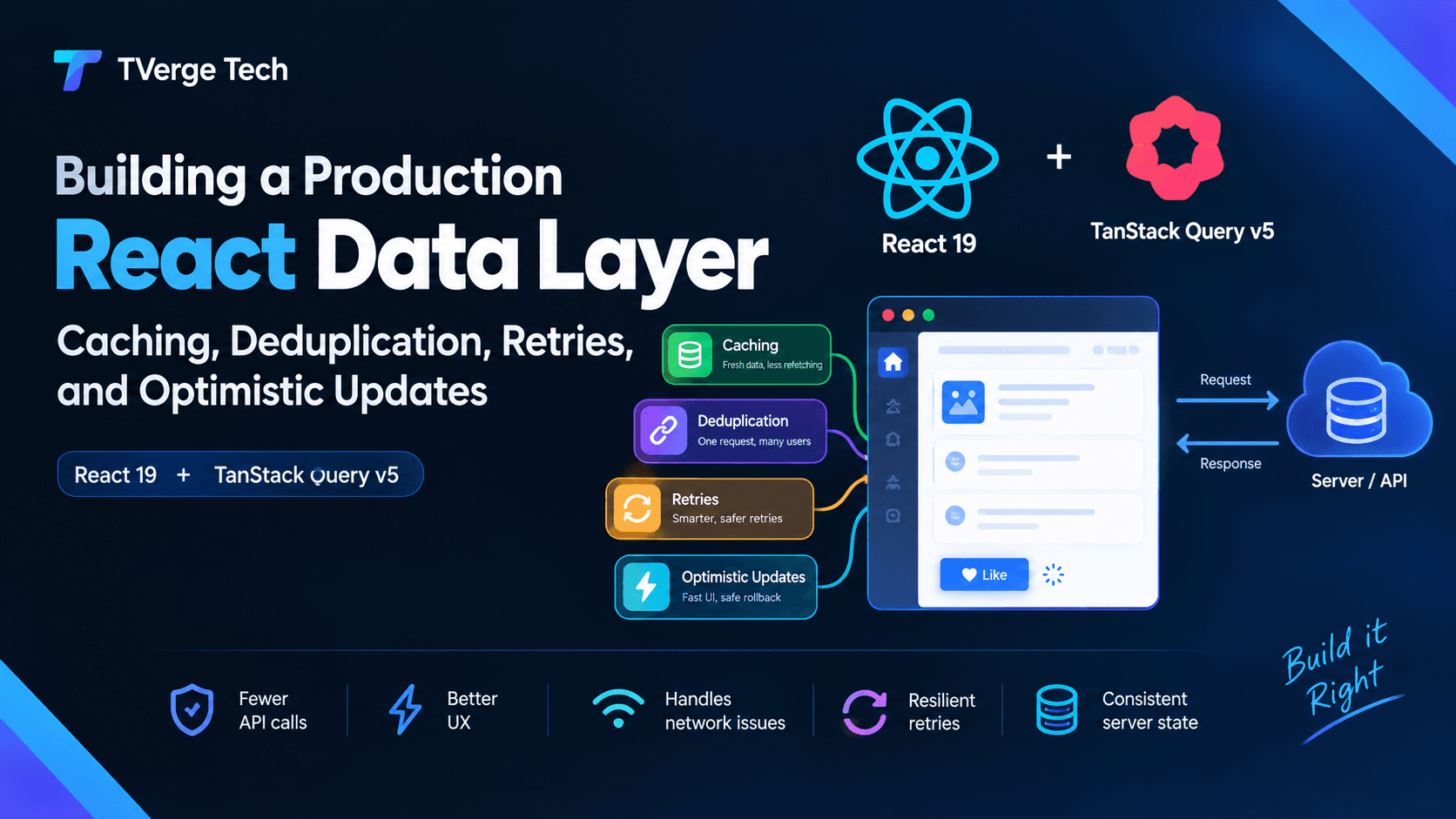
Build a production React data layer with TanStack Query v5: caching, request deduplication, jittered retries, and optimistic updates with safe rollback.
October 13, 2026Nwankwo Ernest Onyebuchi28 min read
Was this useful?
Building a Production React Data Layer: Caching, Deduplication, Retries, and Optimistic Updates
Most React apps do not fail in production because of a missing feature. They fail because of the quiet stuff: the same endpoint called six times on page load, a flaky mobile connection that turns one failed request into a blank screen, a "like" button that waits 800 ms before anything happens, or a retry loop that hammers an API that is already struggling.
Those problems share one root cause. The app treats server data like local state. It is not. Server data is remote, shared, asynchronous, and potentially out of date the instant you receive it. A production-grade data layer is the part of your front end that admits this and handles it deliberately.
This guide shows how to build that layer step by step with React 19 and TanStack Query v5: a typed fetch client, a cache strategy with explicit freshness rules, request deduplication, a retry policy that does not make outages worse, and optimistic updates with safe rollback. Every pattern includes code you can adapt, plus the failure modes that tend to show up only after launch.
Who this is for: developers who already know React hooks and want a repeatable architecture for server state instead of scattered useEffect fetches.
What you will build:
A fetch wrapper with typed errors, timeouts, and cancellation
A query key factory and cache policy per data class
Deduplication at the cache layer and at the network layer
A retry policy with exponential backoff, full jitter, and Retry-After support
Optimistic mutations with rollback that survive concurrent edits
Tests that prove each behavior
Why server state needs its own layer
Client state (a modal is open, a tab is selected) is owned by your app and changes only when you change it. Server state is different in five ways:
You do not own it. Another user, another tab, or a background job can change it at any moment.
It is asynchronous. Every read and write has latency and can fail.
It can be stale. The copy in memory may already be wrong.
It is shared. Many components often need the same record at the same time.
It is cacheable. Re-fetching everything on every render is wasteful, but never refreshing is wrong.
Putting this in useState plus useEffect works for a demo. At scale, you end up re-implementing loading flags, race-condition guards, caching, and retry logic in every component, slightly differently each time.
You can write a cache, a deduplicator, and a retry loop yourself, and doing it once is a good way to understand the problem. In production, most teams are better served by a maintained library. TanStack Query and SWR both cover caching, request deduplication, retries, background refetching, and mutation helpers. This guide uses TanStack Query because its mutation lifecycle makes optimistic updates explicit, but the architecture applies to any of them. Both projects document their behavior in detail; links are in the references at the end.
The architecture at a glance
Think of the data layer as four layers with a one-way dependency, each unaware of the layers above it:
Keeping the bottom two layers free of React makes them trivially testable and reusable in server code, scripts, or workers. A suggested folder structure:
Organizing by feature rather than by file type keeps related query, mutation, and key code in one place.
Step 1: A typed HTTP client that fails predictably
The retry and error-handling behavior of everything above depends on one thing: errors must be distinguishable. A network failure, a timeout, a 404, a 429, and a 503 all call for different responses. Normalize them once, at the bottom.
// src/lib/http.ts
export class ApiError extends Error {
  constructor(
    message: string,
    readonly status: number,
    readonly retryAfterMs?: number,
    readonly body?: unknown,
  ) {
    super(message);
    this.name = "ApiError";
  }
}

// Retry-After can be a number of seconds or an HTTP date.
function parseRetryAfter(header: string | null): number | undefined {
  if (!header) return undefined;
  const seconds = Number(header);
  if (Number.isFinite(seconds)) return Math.max(0, seconds * 1000);
  const date = Date.parse(header);
  return Number.isNaN(date) ? undefined : Math.max(0, date - Date.now());
}

type HttpInit = RequestInit & { timeoutMs?: number };

export async function http<T>(path: string, init: HttpInit = {}): Promise<T> {
  const { timeoutMs = 10_000, signal, headers, ...rest } = init;

  // Combine the caller's signal (cancellation) with a timeout.
  const timeout = AbortSignal.timeout(timeoutMs);
  const combined = signal ? AbortSignal.any([signal, timeout]) : timeout;

  const response = await fetch(`/api${path}`, {
    ...rest,
    signal: combined,
    headers: { Accept: "application/json", ...headers },
  });

  if (!response.ok) {
    let body: unknown;
    try {
      body = await response.json();
    } catch {
      /* non-JSON error body */
    }
    throw new ApiError(
      `Request failed with status ${response.status}`,
      response.status,
      parseRetryAfter(response.headers.get("Retry-After")),
      body,
    );
  }

  // 204 No Content
  if (response.status === 204) return undefined as T;
  return (await response.json()) as T;
}
A few details matter here:
fetch only rejects on network failure. A 500 response resolves normally, so you must check response.ok and throw yourself. Libraries that treat non-2xx as success silently cache error pages.
AbortSignal.timeout() and AbortSignal.any() let you apply a timeout and still honor caller cancellation. Both are available in current evergreen browsers; check the compatibility tables on MDN if you support older environments and add a small fallback if needed.
Timeouts produce a TimeoutError, while manual cancellation produces an AbortError. Your retry policy should retry the first and never retry the second.
If you are working from an API response you do not control, generating interfaces from a real payload saves time. The JSON to TypeScript Converter and the JSON Formatter & Validator are handy for inspecting responses while you define these types. Remember that compile-time types do not validate runtime data; for untrusted APIs, add runtime schema validation at this boundary.
Step 2: Query keys are your cache's primary key
In TanStack Query, the query key identifies a cache entry. It is also the unit of deduplication, invalidation, and optimistic updates, so inconsistent keys are the most common source of "why is my cache not updating" bugs.
Use a key factory with a hierarchy from broad to specific:
// src/features/todos/keys.ts
import type { TodoFilters } from "./api";

export const todoKeys = {
  all: ["todos"] as const,
  lists: () => [...todoKeys.all, "list"] as const,
  list: (filters: TodoFilters) => [...todoKeys.lists(), filters] as const,
  details: () => [...todoKeys.all, "detail"] as const,
  detail: (id: string) => [...todoKeys.details(), id] as const,
};
The hierarchy pays off during invalidation. invalidateQueries({ queryKey: todoKeys.lists() }) refreshes every list regardless of filter, while todoKeys.detail("42") targets one record. Keys are hashed deterministically, so object property order inside a key does not create duplicate entries, but anything that affects the response (filters, page, locale, user ID) must be in the key. If it is missing, two different requests will share one cache entry and users will see the wrong data.
Next, define reusable query options with queryOptions, which keeps the key, fetcher, and policy together and gives you type inference everywhere you use them:
// src/features/todos/queries.ts
import { queryOptions, useQuery } from "@tanstack/react-query";
import { getTodo, getTodos, type TodoFilters } from "./api";
import { todoKeys } from "./keys";

export const todoListOptions = (filters: TodoFilters) =>
  queryOptions({
    queryKey: todoKeys.list(filters),
    // TanStack Query passes an AbortSignal so in-flight requests can be cancelled.
    queryFn: ({ signal }) => getTodos(filters, signal),
    staleTime: 30_000,
  });

export const todoDetailOptions = (id: string) =>
  queryOptions({
    queryKey: todoKeys.detail(id),
    queryFn: ({ signal }) => getTodo(id, signal),
    staleTime: 60_000,
  });

export const useTodos = (filters: TodoFilters) => useQuery(todoListOptions(filters));
export const useTodo = (id: string) => useQuery(todoDetailOptions(id));
Because the options are plain functions, the same definitions work in useQuery, queryClient.prefetchQuery, route loaders, and tests.
Step 3: Caching with explicit freshness rules
Caching answers two separate questions, and conflating them causes most confusion:
How long is data considered fresh? This is staleTime. While data is fresh, TanStack Query serves it from the cache without a network request. The default is 0, meaning data is stale immediately and is refetched on triggers such as a new component mounting or the window regaining focus.
How long do unused entries stay in memory? This is gcTime (named cacheTime in older versions). When no component is subscribed to a query, its entry is garbage-collected after this period; the default is five minutes.
The pattern behind this is stale-while-revalidate: show what you have immediately, then refresh in the background and update when new data arrives. The idea was formalized for HTTP caches in RFC 5861, and it is the reason a well-configured data layer feels instant on repeat visits.
Set staleTime per data class, not per component
The default of 0 is safe but chatty. The mistake in the other direction is setting a huge global staleTime and then wondering why users see old data. Instead, classify your data and give each class a deliberate policy:
Data class
Examples
Suggested policy
Realtime
Order status, live counters
staleTime: 0, polling or push updates
Fresh
Inbox, activity feeds
Seconds (for example 10 to 30 s)
Warm
Lists, dashboards, profile data
About a minute to several minutes
Static
Country lists, feature metadata
Hours, or Infinity with manual invalidation
These values are starting points, not rules. Tune them against how quickly your data actually changes and how costly stale data is for the user. A stale like count is harmless; a stale account balance is not.
Configure sensible global defaults
// src/lib/queryClient.ts
import { QueryCache, QueryClient } from "@tanstack/react-query";
import { retryDelay, shouldRetry } from "./retry";

export const queryClient = new QueryClient({
  queryCache: new QueryCache({
    onError: (error, query) => {
      // A background refetch failed but the user still has data on screen.
      // Surface a quiet notice, not a full-page error.
      if (query.state.data !== undefined) {
        console.warn("Background refresh failed", query.queryKey, error);
      }
    },
  }),
  defaultOptions: {
    queries: {
      staleTime: 30_000,
      gcTime: 5 * 60_000,
      retry: shouldRetry,
      retryDelay,
      refetchOnWindowFocus: true,
    },
    // Mutations are not retried by default; keep it that way unless the endpoint is idempotent.
    mutations: { retry: false },
  },
});
Keep previous data during pagination and filter changes
When a key changes (new page, new filter), the new entry has no data yet, which causes a loading flash. placeholderData keeps the previous result on screen while the next one loads:
Use isPlaceholderData to dim the list slightly so users know the content is transitioning.
Prefetch what the user is about to need
Prefetching on hover or on route intent turns a click into an instant render:
// Called from onMouseEnter / onFocus on a link
queryClient.prefetchQuery(todoDetailOptions(id));
Because prefetchQuery respects staleTime, it will not fire a request if fresh data already exists. For server-rendered frameworks, you can also prefetch on the server and hydrate the cache on the client; see the Advanced Rendering guides in the TanStack Query docs, and our write-up on advanced Next.js caching with fetch, the Data Cache, and revalidateTag for how a framework-level cache interacts with a client cache.
Step 4: Request deduplication
Deduplication means that when several callers ask for the same thing at the same time, only one network request is made and all callers share the result. There are three places to do it.
Level 1: the cache (free with TanStack Query)
If five components mount and each calls useTodos({ status: "open" }), they all subscribe to the same cache entry, and only one request is sent. This works because the query key is the identity of the request. Two things follow:
Your key discipline from Step 2 directly determines how effective deduplication is. Two keys that differ only trivially will not dedupe.
It also helps in React development with Strict Mode, which intentionally mounts components twice to expose side-effect bugs. With a query library, the doubled mount does not produce a doubled request, whereas a raw useEffect(() => fetch(...)) does.
Level 2: the network layer (for calls outside the cache)
Some requests do not go through the query cache: analytics beacons, utility lookups, code shared between hooks and non-React modules. For those, a small in-flight map prevents duplicate concurrent calls:
This only collapses requests that overlap in time. Once the promise settles, the entry is removed, so it is not a cache. It also has a sharp edge: if you pass one caller's AbortSignal into the shared request and that caller cancels, everyone sharing the promise fails. Either do not pass per-caller signals into deduplicated calls, or implement reference counting so the underlying request aborts only when the last subscriber leaves.
Level 3: mutations (prevent double submits)
Duplicate mutations are worse than duplicate reads because they can create two orders or send two emails. Defend in layers:
UI: disable the control while mutation.isPending.
Client: use a mutationKey and queryClient.isMutating({ mutationKey }) to refuse a second identical submission.
Server: send an idempotency key so repeated deliveries of the same logical request have one effect.
// Generate once per user intent, reuse across retries of that intent.
const idempotencyKey = crypto.randomUUID();

http<Order>("/orders", {
  method: "POST",
  headers: { "Content-Type": "application/json", "Idempotency-Key": idempotencyKey },
  body: JSON.stringify(payload),
});
Server-side support for idempotency keys is something your API must implement; the client header alone does nothing. If you need a batch of UUIDs for test fixtures, the Bulk UUID/GUID Generator can produce them quickly.
Step 5: Retries that help instead of hurt
Retries are one of the most valuable and most dangerous parts of the data layer. They turn transient blips into non-events, but a naive retry policy multiplies traffic exactly when a backend is overloaded, which can turn a small incident into a large one.
What to retry, and what not to
Situation
Retry?
Why
Network error (TypeError from fetch)
Yes
Usually transient
Timeout
Yes, a few times
Server may be briefly slow
408, 429, 500, 502, 503, 504
Yes
Transient or rate-limiting
400, 401, 403, 404, 422
No
The request itself is wrong; retrying cannot fix it
User-cancelled request (AbortError)
No
Cancellation is intentional
Non-idempotent mutation
No, unless protected by an idempotency key
Risk of duplicate side effects
TanStack Query retries failed queries three times by default with exponential backoff. That default is a decent baseline, but it retries 404s and 403s too, which wastes requests and delays error UI. Give the library a smarter predicate:
// src/lib/retry.ts
import { ApiError } from "./http";

const MAX_RETRIES = 3;

export function shouldRetry(failureCount: number, error: unknown): boolean {
  if (failureCount >= MAX_RETRIES) return false;

  if (error instanceof ApiError) {
    return error.status === 408 || error.status === 429 || error.status >= 500;
  }

  // User-initiated cancellation: never retry.
  if (error instanceof DOMException && error.name === "AbortError") return false;

  // Network failures and timeouts: retry.
  return true;
}
Backoff with full jitter
If a thousand clients all fail at the same moment and all retry after exactly one second, then two seconds, then four, they stay synchronized and hit the server in waves. Adding randomness (jitter) spreads them out. A widely cited analysis of this problem is in the AWS Builders' Library article on timeouts, retries, and backoff with jitter, which recommends jittered backoff and warns about retry amplification across layers.
// src/lib/retry.ts (continued)
const BASE_MS = 1_000;
const CAP_MS = 30_000;

export function retryDelay(attemptIndex: number, error: unknown): number {
  // Respect the server's instruction when it gives one.
  if (error instanceof ApiError && error.retryAfterMs !== undefined) {
    return Math.min(error.retryAfterMs, CAP_MS);
  }
  // "Full jitter": random value between 0 and the exponential ceiling.
  const ceiling = Math.min(BASE_MS * 2 ** attemptIndex, CAP_MS);
  return Math.random() * ceiling;
}
The Retry-After header, documented on MDN, lets a server tell clients exactly how long to wait after a 429 or 503. Honoring it is both polite and effective.
Retries and the layers above you
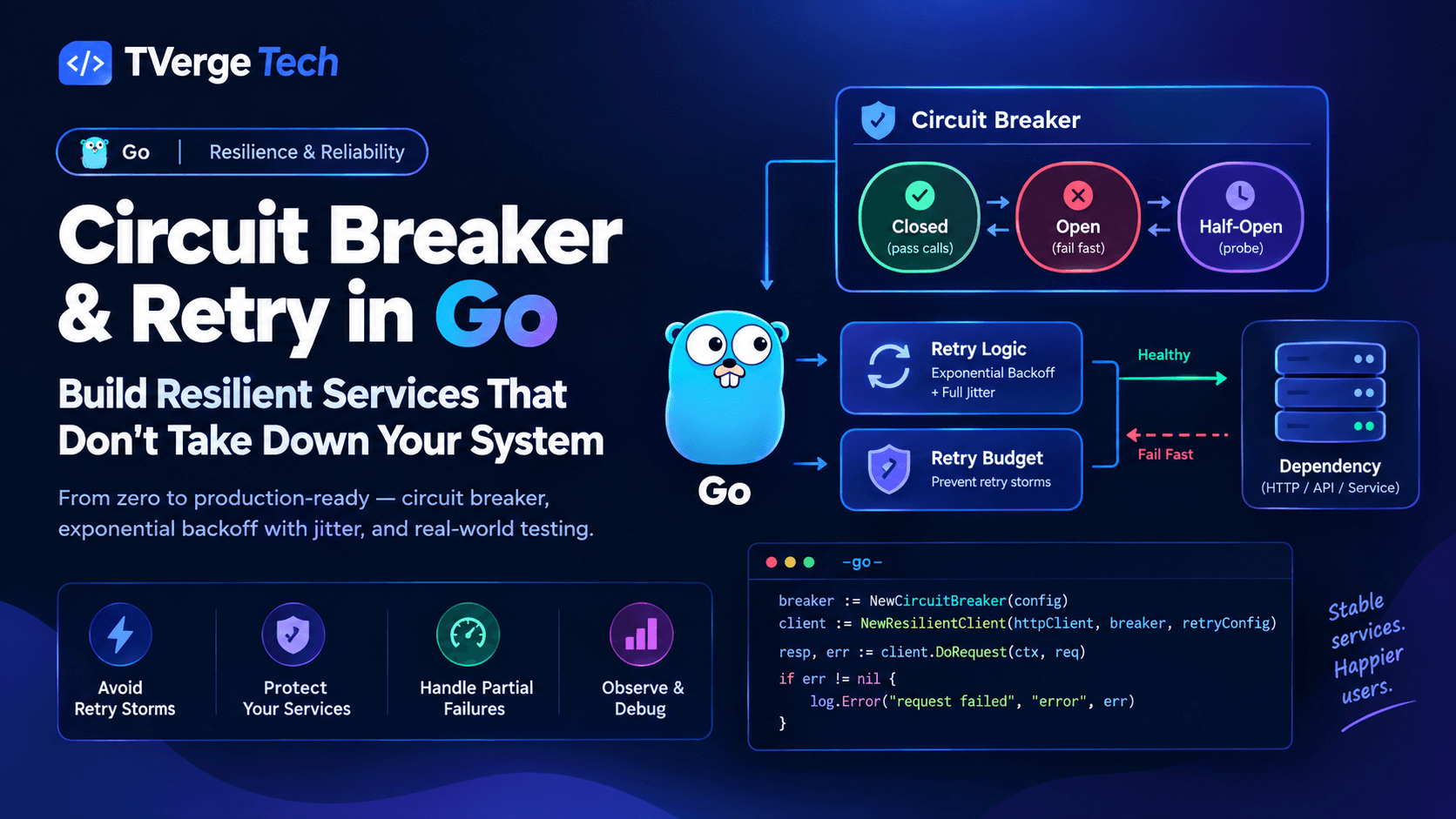
Retries compound. If your component retries three times, your API gateway retries three times, and the service behind it retries three times, one user action can become 27 requests. Keep retry counts low on the client, retry at only one layer where possible, and consider a retry budget (a cap on the fraction of requests that may be retries) for high-traffic systems. We cover budgets and breaker patterns on the server side in Go circuit breakers and retries for resilient microservices; the same reasoning applies from the browser.
Do not retry mutations by default
A failed POST might have succeeded on the server before the connection dropped. Retrying it blindly can duplicate the action. Retry mutations only when the endpoint is idempotent by nature (PUT, DELETE of a specific resource) or when you have supplied an idempotency key.
Offline behavior
TanStack Query's networkMode controls what happens when the browser is offline. The default pauses queries until connectivity returns instead of failing them, which suits most apps. If you need full offline writes, persistence, and sync, see our tutorial on building an offline-first web app with SQLite and WebAssembly.
Step 6: Optimistic updates with safe rollback
An optimistic update changes the UI immediately, assuming the server will accept the change, then reconciles with the real result. Done well, the interface feels instant even on slow networks. Done badly, it shows data that never existed or loses user edits.
Use optimistic updates when the action is very likely to succeed and the user benefits from immediate feedback: toggles, likes, reordering, renaming. Avoid them for operations with serious consequences or complex server-side validation, such as payments, where a rollback would be confusing.
There are two approaches in TanStack Query.
Approach A: render from mutation variables (simplest)
If the optimistic state only needs to appear in one place, skip the cache edits entirely. While the mutation is pending, display its variables as if they were already saved:
There is nothing to roll back: when the mutation fails, the pending row simply disappears or turns into a retry prompt. This is often enough, and it cannot corrupt your cache.
Approach B: update the cache (needed when many places show the data)
When the same record appears in several lists and a detail view, update the cache so every subscriber changes at once. The safe sequence is: cancel in-flight reads, snapshot, apply the optimistic write, roll back on error, and revalidate when settled.
// src/features/todos/mutations.ts
import { useMutation, useQueryClient } from "@tanstack/react-query";
import { setTodoDone, type Todo } from "./api";
import { todoKeys } from "./keys";

export function useToggleTodo() {
  const queryClient = useQueryClient();

  return useMutation({
    mutationKey: ["todos", "toggle"],
    mutationFn: ({ id, done }: { id: string; done: boolean }) => setTodoDone(id, done),

    onMutate: async ({ id, done }) => {
      // 1. Stop in-flight reads from overwriting our optimistic write.
      await queryClient.cancelQueries({ queryKey: todoKeys.all });

      // 2. Snapshot everything we are about to change.
      const lists = queryClient.getQueriesData<Todo[]>({ queryKey: todoKeys.lists() });
      const detail = queryClient.getQueryData<Todo>(todoKeys.detail(id));

      // 3. Apply the optimistic write to every list and the detail entry.
      queryClient.setQueriesData<Todo[]>({ queryKey: todoKeys.lists() }, (old) =>
        old?.map((t) => (t.id === id ? { ...t, done } : t)),
      );
      queryClient.setQueryData<Todo>(todoKeys.detail(id), (old) =>
        old ? { ...old, done } : old,
      );

      // Returned value becomes `context` in onError / onSettled.
      return { lists, detail, id };
    },

    onError: (_error, _vars, context) => {
      if (!context) return;
      // 4. Roll back to the snapshots.
      context.lists.forEach(([key, data]) => queryClient.setQueryData(key, data));
      queryClient.setQueryData(todoKeys.detail(context.id), context.detail);
    },

    onSettled: () => {
      // 5. Only revalidate once the last concurrent toggle finishes.
      if (queryClient.isMutating({ mutationKey: ["todos", "toggle"] }) === 1) {
        queryClient.invalidateQueries({ queryKey: todoKeys.all });
      }
    },
  });
}
Why each step exists:
cancelQueries prevents a slow in-flight GET (started before the mutation) from landing after your optimistic write and overwriting it with old data.
Snapshots let you restore exact prior state, including across multiple cached lists.
The isMutating check handles rapid repeated actions. If a user taps three toggles quickly, invalidating after the first one finishes would refetch while two mutations are still pending and briefly flash stale server data. Waiting for the last one avoids that flicker.
invalidateQueries on settle, success or failure, makes the server the final source of truth. The optimistic state is a prediction; the refetch confirms it.
Optimistic creates need temporary IDs
When creating a record, you do not have a server ID yet. Generate a client-side temporary ID, render it, and replace it when the response arrives:
Never let a temp ID leak into follow-up requests, such as a "delete" call fired against temp-... before the create has finished. Disable actions on rows whose ID starts with your temp prefix, or queue them until the create resolves.
Where React 19's useOptimistic fits
React 19 adds a built-in useOptimistic hook that holds a temporary value while an async Action or transition is in flight, then discards it and reverts to the real state when the Action finishes. It is a good fit for form-driven interactions where you already use Actions. It does not replace a server-state cache: it manages a short-lived overlay on top of state you already have, while a query library manages fetching, sharing, and invalidation. Many production apps use both, with the query cache as the source of truth and useOptimistic for local presentation. See the React documentation for the exact API.
Step 7: Putting it together in a component
With the layers in place, the component stays small and declarative:
Notice what is absent: no useEffect, no manual loading booleans, no cancellation code, no retry loops, no duplicate-request guards. The component declares what it needs, and the layer beneath handles how.
Error handling that users can live with
Retries and rollbacks handle transient failures. Permanent failures still need a user-facing story:
Distinguish first-load failures from background-refresh failures. If data exists, keep showing it and display a subtle "could not refresh" notice. Replacing good data with an error screen punishes the user for a network blip.
Use error boundaries for unrecoverable errors and local UI for recoverable ones. TanStack Query can throw errors to the nearest boundary with throwOnError, and its QueryErrorResetBoundary helps wire "try again" buttons to a reset.
Handle 401 centrally. In QueryCache.onError, detect auth failures once and redirect to sign-in, instead of repeating that logic in every component.
Write helpful messages. "Something went wrong" is rarely useful. Map status codes to plain language and offer a next step.
Testing the data layer
A data layer you cannot test is one you will be afraid to change. Three habits make tests reliable:
Create a fresh QueryClient for every test and set retry: false, so failures surface immediately and cache state never leaks between tests.
Mock at the network boundary (for example with Mock Service Worker or a stubbed fetch), not by mocking your hooks. This tests real behavior including keys, deduplication, and rollback.
Assert call counts to prove deduplication and caching work.
Also write tests for the failure paths that matter most: a 404 is not retried, a 503 is retried and then succeeds, a failed optimistic toggle returns the list to its previous state, and two rapid toggles do not leave the cache in a mixed state. For backoff logic, use fake timers so tests do not actually wait.
Observability: you cannot tune what you cannot see
Once the layer is live, instrument it. The questions worth answering:
Which queries fail most often, and with which status codes?
How often do retries succeed versus exhaust their attempts?
Which endpoints are called most frequently per session, and is that expected?
How often do optimistic updates roll back? A high rate suggests the optimism is misplaced, or the server validation is stricter than the client assumes.
QueryCache and MutationCache accept onError and onSuccess callbacks that give you a single place to emit logs or metrics. TanStack Query's Devtools are worth enabling in development to inspect cache entries, staleness, and in-flight state while you tune the policies above.
Common pitfalls
Missing variables in the query key. If a filter, user ID, or locale affects the response but is not in the key, entries collide and users see wrong data.
Copying server data into useState. This creates a second source of truth that never updates. Derive from the query result, or use select.
A global staleTime: Infinity with no invalidation plan. Fast, and wrong the moment data changes elsewhere.
Skipping cancelQueries before an optimistic write. A late response overwrites the optimistic state and the UI flickers back.
Rolling back to a snapshot while other mutations are in flight. Prefer targeted rollbacks, and revalidate only when the last mutation settles.
Leaking temporary IDs into API calls.
Mutating cached objects in place. Always return new objects from updater functions; cache consumers rely on referential changes.
Forgetting that retries multiply across layers. Check what your gateway and backend already retry.
Production checklist
Use this before shipping:
HTTP client normalizes errors, enforces timeouts, and accepts an AbortSignal
Query keys come from a factory and include every input that changes the response
staleTime and gcTime are chosen per data class
Retry predicate excludes 4xx (except 408 and 429) and cancellations
Backoff uses jitter, is capped, and honors Retry-After
Mutations are not retried unless idempotent or protected by an idempotency key
Double-submit is prevented in the UI, the client, and the server
Optimistic updates cancel in-flight reads, snapshot, roll back, and revalidate
Background-refresh errors do not replace good data with error screens
Tests cover deduplication, retry rules, and rollback
Failures, retries, and rollbacks are logged or measured
Frequently asked questions
What is the difference between staleTime and gcTime?
staleTime controls how long fetched data counts as fresh, meaning it can be served without a network request. gcTime controls how long an entry with no active subscribers remains in memory before being garbage-collected. A query can be stale but still cached, in which case it is shown immediately and refetched in the background.
Does React Query deduplicate requests automatically?
Yes, for queries that share the same query key. Multiple components subscribing to the same key share one cache entry and one in-flight request. Requests made outside the query cache, and mutations, are not deduplicated automatically, so you need the network-level and idempotency patterns described above.
Should I retry failed API requests in React?
Retry transient failures such as network errors, timeouts, 429, and 5xx responses, with a small cap, exponential backoff, and jitter. Do not retry client errors like 400, 401, 403, 404, or 422, and do not blindly retry non-idempotent mutations.
When should I avoid optimistic updates?
Avoid them for operations where a visible rollback would be harmful or confusing, such as payments or irreversible actions, and for flows with complex server-side validation where failure is common. For those, show a clear pending state and wait for confirmation.
Can I use SWR instead of TanStack Query?
Yes. SWR also provides caching, deduplication, revalidation, and mutation helpers. The architecture in this guide (a pure HTTP layer, a key discipline, per-class freshness, a considered retry policy, and safe optimistic updates) applies to either library; only the API names differ.
Is useOptimistic a replacement for a data-fetching library?
No. useOptimistic manages a temporary optimistic value during an async Action. It does not fetch, cache, deduplicate, or retry. Treat it as a presentation tool that can sit on top of a cache.
Conclusion
A production data layer is less about any single feature and more about explicit decisions. Decide how fresh each kind of data needs to be. Decide which failures are worth retrying and how aggressively. Decide which actions are safe to show optimistically and how to undo them. Then encode those decisions once, in the layers beneath your components, so every screen inherits them.
Start small: normalize your errors, introduce a key factory, and set a retry predicate. Those three changes alone remove a surprising amount of production noise. Add optimistic updates where they clearly improve the experience, and add tests as you go so the behavior stays correct as the app grows.
Library APIs evolve. This guide targets React 19 and TanStack Query v5; check the documentation for your installed version before copying code into production.
3Graceful Shutdown in Kubernetes: Drain HTTP & DB Pools