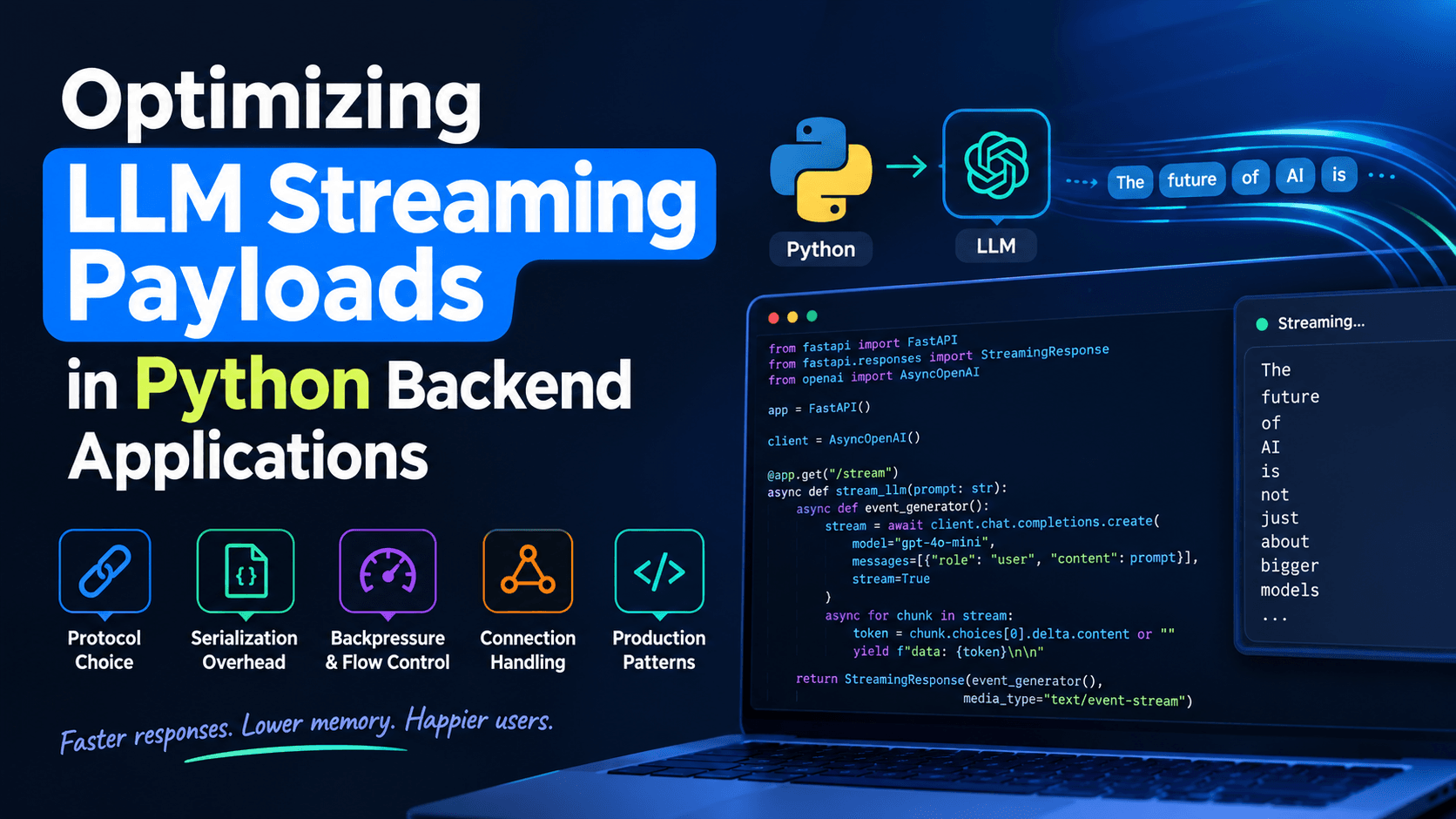
Optimizing LLM Streaming Payloads in Python Backends (2026 Guide)
Learn how to optimize LLM streaming payloads in Python backends — SSE vs WebSockets, token batching, backpressure, disconnect handling, and real FastAPI code.
Optimizing Large Language Model (LLM) Streaming Payloads in Python Backend Applications
Every production LLM feature eventually runs into the same wall: the model works fine in a notebook, but the moment it's wired into a real backend serving concurrent users, response times feel sluggish, memory climbs under load, and the frontend either stutters or shows nothing for several seconds before text appears. The model itself isn't usually the bottleneck — the way your backend packages, buffers, and ships the token stream is.
This guide walks through how to design and optimize LLM streaming payloads in Python backend applications, covering protocol choice, serialization overhead, backpressure, connection handling, and the code patterns that separate a demo endpoint from a production-grade one.
Why Streaming Payload Design Matters More Than It Looks
When you call an LLM API with stream=True, the provider doesn't hand you the full response at once — it sends a sequence of small events, each containing a token or a delta of text, over an open HTTP connection. Your backend's job is to receive that stream, do something useful with it (log it, moderate it, transform it, fan it out to multiple clients), and re-emit it to the frontend with as little added latency and memory overhead as possible.
Three things tend to go wrong when this isn't optimized:
Time-to-first-byte (TTFB) degrades. Buffering the whole response before sending anything defeats the entire purpose of streaming and reintroduces the "blank screen" problem streaming was meant to solve.
Memory grows under concurrency. Accumulating full responses in memory (for logging, moderation, or retries) across hundreds of concurrent streams multiplies your server's RAM footprint fast.
Serialization becomes the bottleneck. Re-encoding every token as a fresh JSON object or Server-Sent Event frame, without batching or reusing buffers, adds CPU overhead that's invisible at low traffic and very visible at scale.
None of these are exotic problems. They're plain backend engineering — the LLM just makes the cost of getting them wrong more obvious, because users are staring at the screen waiting for words to appear.
Choosing a Transport: SSE, Chunked Transfer, or WebSockets
Before optimizing the payload, pick the right transport. Most LLM streaming use cases fit one of three patterns:
Server-Sent Events (SSE) over a single HTTP response is the most common choice for one-directional token streams (server → client). It's simple, works over standard HTTP/1.1 and HTTP/2, survives proxies better than raw chunked encoding in most setups, and browsers have a native EventSource API for it, as documented by MDN's Server-Sent Events guide.
Plain chunked transfer encoding (just yielding raw bytes without SSE framing) is lighter-weight and fine for server-to-server proxying or non-browser clients, but you lose automatic reconnection and event-typing that SSE gives you for free.
WebSockets make sense when you need bidirectional communication — for example, letting the user interrupt generation mid-stream, or multiplexing multiple concurrent tool calls. They're heavier to operate (persistent connection state, different load-balancer behavior) and are overkill for a simple "stream this answer" endpoint.
For most Python backends serving a web or mobile frontend, SSE over a StreamingResponse is the pragmatic default, and it's what the rest of this guide focuses on.
from fastapi import FastAPI
from fastapi.responses import StreamingResponse
import httpx
import json

app = FastAPI()

async def stream_llm_response(prompt: str):
    async with httpx.AsyncClient(timeout=None) as client:
        async with client.stream(
            "POST",
            "https://api.anthropic.com/v1/messages",
            headers={"x-api-key": "YOUR_KEY", "anthropic-version": "2023-06-01"},
            json={
                "model": "claude-sonnet-4-6",
                "max_tokens": 1024,
                "stream": True,
                "messages": [{"role": "user", "content": prompt}],
            },
        ) as response:
            async for line in response.aiter_lines():
                if line.startswith("data:"):
                    yield f"data: {line[5:].strip()}\n\n"

@app.get("/chat")
async def chat(prompt: str):
    return StreamingResponse(stream_llm_response(prompt), media_type="text/event-stream")
This works. It also has several problems that only show up under real traffic: no backpressure handling, no client-disconnect detection, no chunk batching, and it re-serializes every single upstream event without touching it — which is fine at 5 requests per second and a real problem at 500.
Optimization 1: Batch Tokens Instead of Flushing Every One
Sending a network frame per token is wasteful. Most tokens are a handful of characters, but each SSE frame carries fixed overhead (headers already sent, but each data: line still costs a write syscall and a TCP segment in the worst case). Batching tokens into small time- or size-based windows cuts the number of writes dramatically without hurting perceived responsiveness — humans can't tell the difference between token-by-token and every-30-milliseconds delivery.
import asyncio
import time

async def batched_stream(source, interval: float = 0.05, max_chars: int = 40):
    buffer = []
    buffer_len = 0
    last_flush = time.monotonic()

    async for chunk in source:
        buffer.append(chunk)
        buffer_len += len(chunk)
        now = time.monotonic()

        if buffer_len >= max_chars or (now - last_flush) >= interval:
            yield "".join(buffer)
            buffer.clear()
            buffer_len = 0
            last_flush = now

    if buffer:
        yield "".join(buffer)
This single change is often the highest-leverage optimization available: it reduces write syscalls, reduces the number of SSE frames the browser has to parse, and reduces CPU spent in JSON encoding per event — all while keeping the stream feeling instant.
A common anti-pattern is decoding the upstream provider's JSON event, extracting the text delta, then re-encoding it into a new JSON object for your own frontend contract — per token. At scale, this is measurable CPU cost for no benefit if your frontend could just consume the raw delta text.
Where you do need structured events (e.g., distinguishing token, tool_call, error, done), keep the schema minimal and stable, and prefer Python's built-in json module or a faster drop-in like orjson for the encode step, reserving decode-then-re-encode for the events that actually change shape:
orjson is meaningfully faster than the standard library for repeated small-object serialization, which is exactly the access pattern of a token stream.
One of the most common production bugs in streaming endpoints: the user closes the tab or navigates away mid-response, but the backend keeps calling the upstream LLM API to completion, burning tokens and holding a connection open for nothing. FastAPI (via Starlette) exposes request.is_disconnected() for exactly this:
from fastapi import Request

async def stream_with_disconnect_check(request: Request, source):
    async for chunk in source:
        if await request.is_disconnected():
            break
        yield chunk
For upstream providers, cancelling the underlying httpx stream context as soon as disconnect is detected releases the connection back to the pool immediately, rather than waiting for the generation to finish naturally. This is one of the cheapest cost-control measures you can add to an LLM backend — it directly prevents paying for tokens nobody will read.
Optimization 4: Apply Backpressure with Bounded Queues
If your endpoint fans a single upstream stream out to multiple consumers (for example, broadcasting one generation to several connected clients, or writing to both the HTTP response and a logging/analytics sink), an unbounded producer can outpace a slow consumer and blow up memory. Use a bounded asyncio.Queue so the producer blocks when a consumer falls behind, per the asyncio documentation on queues:
import asyncio

async def fan_out(source, queue: asyncio.Queue):
    async for chunk in source:
        await queue.put(chunk)  # blocks if queue is full — natural backpressure
    await queue.put(None)  # sentinel

async def consume(queue: asyncio.Queue):
    while True:
        chunk = await queue.get()
        if chunk is None:
            break
        yield chunk
A bounded queue (asyncio.Queue(maxsize=N)) turns an unbounded memory risk into a controlled, predictable one — the producer simply waits rather than piling up buffered chunks.
Optimization 5: Don't Accumulate Full Responses Unless You Must
It's tempting to build up the complete response string as you stream it out, for logging or moderation. That's often necessary, but be deliberate about it — accumulate into a list and "".join() at the end rather than repeated string concatenation (str += chunk), which is O(n²) in the worst case across many iterations in CPython due to repeated reallocation:
chunks = []

async def stream_and_collect(source):
    async for chunk in source:
        chunks.append(chunk)
        yield chunk
    full_text = "".join(chunks)
    # persist full_text to your logging/analytics store here
If you're moderating content mid-stream (checking for disallowed output as it's generated), do it on the batched chunks from Optimization 1, not on every raw token — running a classifier or regex check per token multiplies your CPU cost for marginal detection-latency gain.
Optimization 6: Skip Compression Middleware on Streaming Routes
Response compression (e.g., GZip middleware) generally buffers the entire response to compress it as a unit, which is directly at odds with progressive delivery — it can silently turn your stream back into a blocking, buffered response. Exclude streaming routes from compression middleware, or verify explicitly that your framework's compression layer supports true streaming compression before relying on it. When in doubt, leave SSE routes uncompressed; the payload per token is small enough that compression overhead outweighs the bandwidth savings anyway.
Optimization 7: Send Heartbeats on Long-Idle Streams
Reverse proxies, load balancers, and some browsers will silently close a connection that goes quiet for too long. If your LLM call can pause (e.g., waiting on a tool call to resolve, or a slow upstream provider), send periodic comment-only SSE heartbeats to keep the connection alive:
async def with_heartbeat(source, interval: float = 15.0):
    queue = asyncio.Queue()

    async def producer():
        async for chunk in source:
            await queue.put(chunk)
        await queue.put(None)

    task = asyncio.create_task(producer())
    while True:
        try:
            chunk = await asyncio.wait_for(queue.get(), timeout=interval)
        except asyncio.TimeoutError:
            yield ": heartbeat\n\n"  # SSE comment line, ignored by EventSource
            continue
        if chunk is None:
            break
        yield chunk
    await task
A line beginning with : is a valid SSE comment per the specification referenced in MDN's Server-Sent Events documentation — clients ignore it, but it resets idle timeouts along the path.
Putting It Together: A Production-Leaning Endpoint
from fastapi import FastAPI, Request
from fastapi.responses import StreamingResponse
import httpx
import orjson
import asyncio
import time

app = FastAPI()

async def upstream_tokens(prompt: str, request: Request):
    async with httpx.AsyncClient(timeout=httpx.Timeout(connect=5.0, read=None, write=10.0, pool=5.0)) as client:
        async with client.stream(
            "POST",
            "https://api.anthropic.com/v1/messages",
            headers={"x-api-key": "YOUR_KEY", "anthropic-version": "2023-06-01"},
            json={
                "model": "claude-sonnet-4-6",
                "max_tokens": 1024,
                "stream": True,
                "messages": [{"role": "user", "content": prompt}],
            },
        ) as response:
            async for line in response.aiter_lines():
                if await request.is_disconnected():
                    return
                if line.startswith("data:"):
                    payload = line[5:].strip()
                    if payload and payload != "[DONE]":
                        try:
                            event = orjson.loads(payload)
                        except orjson.JSONDecodeError:
                            continue
                        delta = event.get("delta", {}).get("text")
                        if delta:
                            yield delta

async def batch_and_encode(source, interval: float = 0.05, max_chars: int = 40):
    buffer, buffer_len, last_flush = [], 0, time.monotonic()
    async for piece in source:
        buffer.append(piece)
        buffer_len += len(piece)
        now = time.monotonic()
        if buffer_len >= max_chars or (now - last_flush) >= interval:
            yield b"data: " + orjson.dumps({"type": "token", "text": "".join(buffer)}) + b"\n\n"
            buffer, buffer_len, last_flush = [], 0, now
    if buffer:
        yield b"data: " + orjson.dumps({"type": "token", "text": "".join(buffer)}) + b"\n\n"
    yield b"data: " + orjson.dumps({"type": "done"}) + b"\n\n"

@app.get("/chat")
async def chat(prompt: str, request: Request):
    stream = batch_and_encode(upstream_tokens(prompt, request))
    return StreamingResponse(
        stream,
        media_type="text/event-stream",
        headers={"Cache-Control": "no-cache", "X-Accel-Buffering": "no"},
    )
Note the X-Accel-Buffering: no header — if you're behind Nginx, this disables its default response buffering for the route, which otherwise silently reintroduces the exact "wait for full response" problem streaming is meant to eliminate.
Testing and Benchmarking Streaming Endpoints
Don't rely on a browser tab feeling fast — measure it:
Time-to-first-byte (TTFB): how long from request start until the first data: frame arrives.
Tokens per second, sustained: confirm your batching interval isn't artificially throttling delivery below the model's actual generation speed.
Concurrent connection memory: load-test with realistic concurrency (e.g., using hey, k6, or a small async script with httpx) and watch RSS growth per connection.
Disconnect behavior: kill a client mid-stream and confirm the upstream call is actually cancelled, not left running.
httpx's async client documentation covers connection pooling and timeout configuration in more depth, both of which directly affect how your endpoint behaves under concurrent streaming load.
Common Pitfalls to Avoid
Using a synchronous, blocking generator inside an async def route. If your generator function does blocking I/O without await, it stalls the entire event loop for every other concurrent request. Keep streaming generators fully async, or run blocking code in a thread pool.
Forgetting media_type="text/event-stream". Without it, some clients and proxies won't treat the response as a progressive stream.
Not setting Cache-Control: no-cache. Some CDNs and browsers will attempt to cache or buffer SSE responses without this header.
Building your own reconnection logic when EventSource already provides it. Don't reinvent retry/backoff on the client side unless you have a specific reason to bypass the browser's native SSE reconnection.
If you're deciding between backend frameworks for an AI app in the first place, our FastAPI vs. Next.js Server Actions for AI Apps comparison covers how each handles streaming, GPU-bound jobs, and simple mutations at the architecture level before you get to payload-level tuning like this guide.
While debugging streaming payloads, our free JSON Formatter & Validator is useful for quickly inspecting and validating individual SSE data frames you've copied out of browser dev tools.
Conclusion
Optimizing LLM streaming payloads isn't about exotic infrastructure — it's disciplined application of backend fundamentals: choosing the right transport, batching writes sensibly, avoiding redundant serialization, applying backpressure, releasing resources on disconnect, and measuring instead of guessing. Get these right and your LLM feature feels instant and stays cheap to run even as concurrency grows; skip them and you'll eventually pay for it in latency complaints, memory pressure, and wasted token spend.
Frequently Asked Questions
Is Server-Sent Events better than WebSockets for LLM streaming?
For one-directional token delivery (server to client), SSE is simpler to operate, works over standard HTTP, and includes built-in reconnection via the browser's EventSource API. WebSockets are worth the added complexity only when you need true bidirectional communication, such as mid-stream cancellation from the client.
Does batching tokens before sending them add noticeable delay?
Not at typical intervals like 30–50 milliseconds. Human perception of "instant" text appearance tolerates small batching windows, and the CPU and network savings from fewer, larger frames outweigh the negligible added latency.
Should I compress SSE streaming responses?
Generally no. Most compression middleware buffers the full response to compress it, which defeats progressive delivery. If you need compression, verify your specific setup supports true streaming compression before enabling it on streaming routes.
How do I stop paying for tokens after a user closes the tab?
Check request.is_disconnected() in your generator loop and cancel the underlying upstream HTTP stream as soon as it returns True, rather than letting the LLM call run to completion in the background.
3Partitioning & Sharding Strategy for Ultra-Large Datasets