Secure Enterprise Middleware: Advanced Rate Limiting, CORS Wildcard Protection, Helmet Configuration, and Timing-Attack Defenses
Enterprise APIs sit at the intersection of every attacker's shortest path to data: they're reachable from the public internet, they're trusted by internal services, and they're usually the first thing a load balancer forwards traffic to before any business logic runs. Middleware is where you either stop abuse and probing at the door, or you let it walk straight through to your database, your auth service, and your logs.
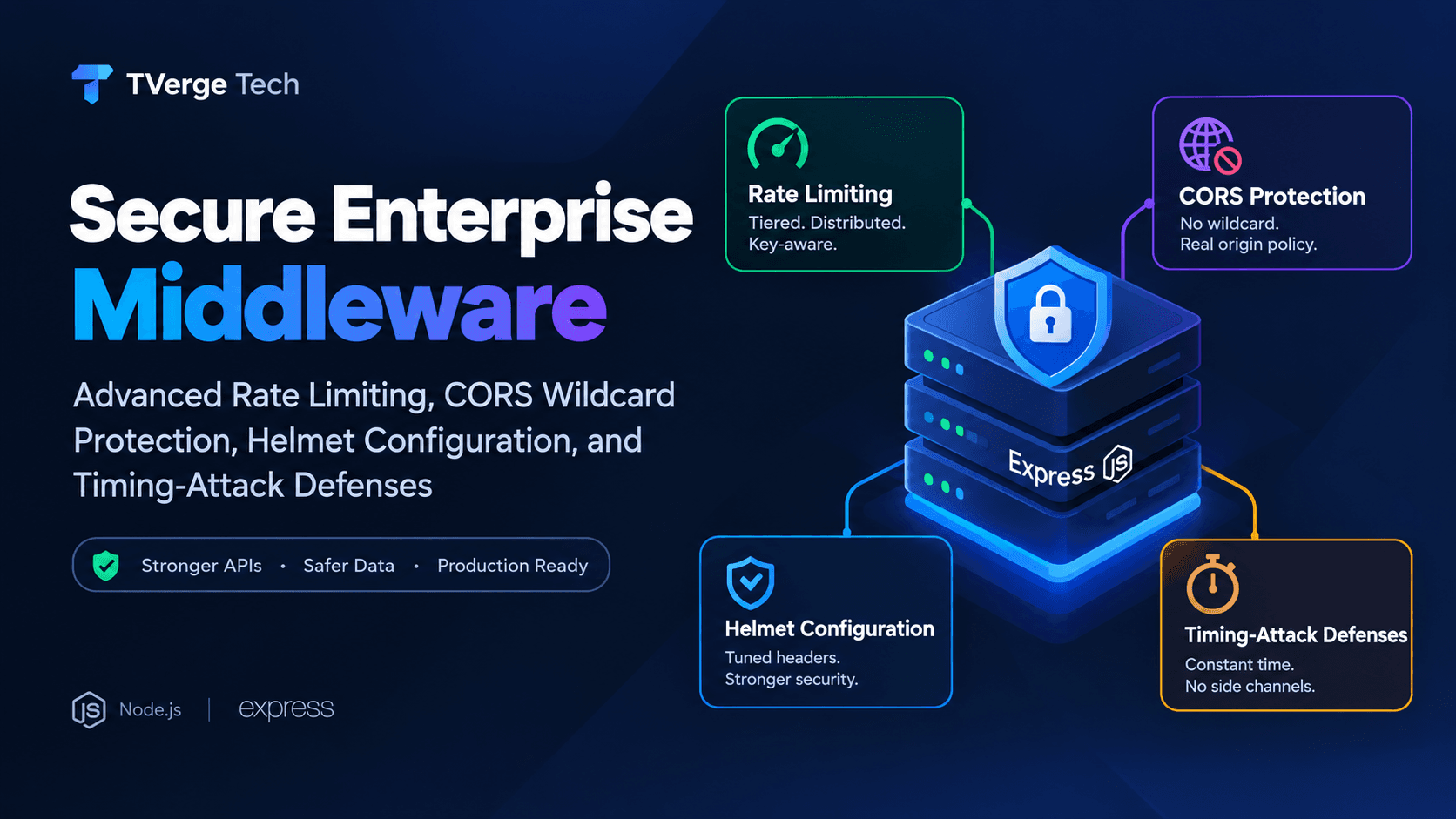
This guide covers four middleware-layer controls that, together, form a defensible baseline for a production Node.js/Express backend:
Advanced rate limiting — beyond a single global counter, toward tiered, distributed, key-aware limits.
CORS wildcard protection — why Access-Control-Allow-Origin: * (especially combined with credentials) is a silent liability, and how to replace it with a real origin policy.
Helmet configuration — going past app.use(helmet()) defaults to a tuned Content-Security-Policy and header set that fits a real enterprise app.
Timing-attack defenses — closing the side channel that string comparison (===) leaves open on secrets, tokens, and signatures.
Every configuration below is built directly from the official documentation for each library, linked at the end of each section.
1. Why Middleware Is the Right Place to Enforce This
Middleware executes on every request before route handlers run. That makes it the correct layer for cross-cutting security concerns — you don't want twenty different route handlers each remembering to check an API key in constant time, or each deciding independently whether a browser origin is allowed. Centralizing these controls in middleware means:
One place to audit for a security review.
One place to update when a policy changes (new allowed origin, new rate tier, new CSP directive).
No route can accidentally skip the control, because it runs before routing decisions are made.
The trade-off is that middleware-layer mistakes are also global mistakes. A wildcard CORS policy or a misconfigured rate limiter doesn't affect one endpoint — it affects the entire API surface. That's exactly why these four areas deserve more care than the "just add the package" default.
2. Advanced Rate Limiting
Why the naive approach fails at enterprise scale
A single global rate limiter (X requests per IP per window) is a reasonable starting point for a hobby project, but it breaks down in production for several reasons:
Shared IPs: Enterprise clients behind NAT, corporate proxies, or mobile carrier-grade NAT can represent hundreds of legitimate users behind one IP. A flat per-IP limit either blocks them all or is set so high it's useless against abuse.
Multi-instance deployments: If your API runs behind a load balancer across multiple Node.js processes or containers, an in-memory counter on each instance doesn't see the full picture — a client can get limit × instance_count requests through.
Uniform limits ignore endpoint cost: A login endpoint and a static-content endpoint do not deserve the same limit. Authentication, password reset, and search endpoints are disproportionately targeted by credential stuffing and enumeration attacks and need tighter, separate budgets.
Distributed rate limiting with express-rate-limit
express-rate-limit is the standard middleware for this in the Express ecosystem. By default it uses an in-memory store, which — per its own documentation — does not share state across processes or servers, so for real distributed enforcement you need an external store such as Redis.
Tiered limits by route sensitivity. Login, password reset, token refresh, and any endpoint that reveals account existence (e.g., "email already registered") should sit behind a much stricter limiter than general read traffic.
Key by API key or authenticated identity when available, falling back to IP. This prevents one heavy legitimate tenant from starving others sharing an IP, and prevents an attacker from just rotating IPs to bypass a per-IP-only scheme (rotation defense also needs the network-layer controls below — rate limiting alone is not sufficient against a distributed attacker).
standardHeaders: true / legacyHeaders: false. This exposes the standardized RateLimit-* response headers so well-behaved clients (and your own monitoring) can back off gracefully, while dropping the older non-standard header format.
A real external store for anything running more than one process. The library's own documentation is explicit that the built-in MemoryStore is unsuitable once you're running multiple servers or processes — you need Redis, Memcached, or a shared store built for the purpose.
Layering rate limiting with a network-level control
Application-layer rate limiting should be your second line of defense, not your only one. It runs after TCP/TLS negotiation and after Node has already spent CPU parsing the request. For volumetric abuse (not just "too many logins," but sheer request flooding), pair this with a reverse proxy or CDN/WAF-level rate limit (e.g., Nginx limit_req, or your cloud provider's WAF rate-based rules) so the bulk of junk traffic never reaches the Node process at all.
Access-Control-Allow-Origin: * tells every browser on the internet that any website is allowed to read the response to a cross-origin request. On its own, for a fully public, unauthenticated API, that's often fine. The severe misconfiguration — the one that shows up repeatedly in real breach write-ups — is combining a wildcard-like origin policy with credentials.
Per OWASP's guidance on the principle of least privilege for CORS: the Access-Control-Allow-Origin header can take the wildcard value, authorizing any host to view server responses, and this can be non-compliant behavior — especially for pages that should only be reachable from a specific domain. OWASP is equally direct about the credentialed case, warning that Access-Control-Allow-Credentials: true needs to be used carefully, particularly when Access-Control-Allow-Origin is generated dynamically from a request rather than pulled from a fixed allowlist, since that combination can create serious vulnerabilities.
The mechanism attackers exploit is subtle: browsers actually reject the literal pairing of Access-Control-Allow-Origin: * with Access-Control-Allow-Credentials: true. So instead of hardcoding a wildcard, many "quick fix" CORS implementations reflect the incoming Origin request header straight back as the allow-origin value. That satisfies the browser's rule while functionally behaving like a wildcard — now any origin can make credentialed requests and read authenticated responses, including session cookies and Authorization headers.
The fix: a real allowlist, never a reflected wildcard
import cors from "cors";

const allowedOrigins = new Set([
  "https://app.example.com",
  "https://admin.example.com",
  "https://staging.example.com", // only if genuinely needed
]);

const corsOptions = {
  origin: (origin, callback) => {
    // Allow non-browser tools / same-origin requests with no Origin header
    if (!origin) return callback(null, true);

    if (allowedOrigins.has(origin)) {
      return callback(null, true);
    }

    return callback(new Error(`Origin ${origin} is not permitted by CORS policy`));
  },
  credentials: true,
  methods: ["GET", "POST", "PUT", "PATCH", "DELETE"],
  allowedHeaders: ["Content-Type", "Authorization", "X-API-Key"],
  maxAge: 600, // cache preflight for 10 minutes
};

app.use(cors(corsOptions));
Rules this configuration enforces, directly aligned with OWASP's recommendations:
Never echo the Origin header unconditionally. The allowlist check (allowedOrigins.has(origin)) is the whole point — the server decides what's allowed, not the client's own header.
Whitelist explicit, trusted domains rather than blacklisting or wildcarding. OWASP recommends allowing only selected, trusted domains and preferring whitelisting over wildcard or blanket origin-reflection approaches.
Scope wildcards, if used at all, to specific public, non-sensitive endpoints — never to the whole API, and never alongside credentials. If you have a genuinely public, unauthenticated resource (e.g., a public status endpoint), it's fine to serve that one route with a permissive CORS policy; it should not be the default for the entire application.
Remember CORS is a browser-enforced control, not a server-side authorization mechanism. It does not stop a non-browser client (curl, a server-to-server call, a mobile app) from hitting your API — it only governs what a browser will let a hosted webpage's JavaScript read. CSRF protection, authentication, and authorization checks still need to exist independently.
Helmet's own quick-start sets a batch of HTTP response headers with a single call:
import helmet from "helmet";
const app = express();
app.use(helmet());
According to Helmet's documentation, this single call sets 13 HTTP response headers, covering things like Content-Security-Policy, Strict-Transport-Security, X-Content-Type-Options, X-Frame-Options, and several cross-origin isolation headers (Cross-Origin-Opener-Policy, Cross-Origin-Resource-Policy, Cross-Origin-Embedder-Policy, Origin-Agent-Cluster, etc.). That's a solid baseline, but the default Content-Security-Policy is generic — Helmet's own docs describe it as powerful but likely to need configuration for your specific app, since a default default-src 'self' policy will block any legitimate third-party script, font, or asset source your app actually uses.
contentSecurityPolicy with explicit directives — replace the generic default with an allowlist that matches your actual script, style, font, image, and API origins. Every entry should be a domain you actively trust; avoid 'unsafe-inline' and 'unsafe-eval' wherever your build tooling allows it, since both defeat much of what CSP is for.
objectSrc: ["'none'"] — blocks Flash/plugin-based content injection vectors entirely; there's rarely a legitimate enterprise reason to allow it.
frameAncestors: ["'none'"] paired with frameguard: { action: "deny" } — prevents your app from being embedded in an iframe on another site, closing off clickjacking.
hsts with includeSubDomains and a long maxAge — forces browsers to only ever connect over HTTPS for the domain (and its subdomains) for the configured duration, closing the window for SSL-stripping downgrade attacks. Only enable preload once you've confirmed every subdomain genuinely supports HTTPS, since preload lists are difficult to reverse.
crossOriginResourcePolicy and crossOriginOpenerPolicy — restrict which other origins can load your resources or share a browsing context group with your pages, which helps mitigate speculative-execution-based cross-origin data leaks (e.g., Spectre-class attacks) and reduces cross-origin window reference abuse.
referrerPolicy: { policy: "no-referrer" } — prevents internal URLs (which can contain session identifiers or internal path structure) from leaking to third-party sites via the Referer header.
Each header can also be disabled individually (contentSecurityPolicy: false) if a specific header conflicts with a legacy integration — but that should be a deliberate, documented exception, not a default.
A timing attack exploits the fact that a naive string comparison (===, ==, or most languages' default equality operator) short-circuits: it returns false as soon as it finds the first mismatched character. That means comparing "aaaaaaaa" against a correct secret that starts with "a" takes measurably longer than comparing it against one that starts with "z". Given enough requests and precise enough timing measurement, an attacker can reconstruct a secret — an API key, an HMAC signature, a session token, a webhook signing secret — one character at a time, entirely from the outside, without ever seeing the value itself.
This is a real, historically exploited class of vulnerability against systems that compare API keys, webhook signatures, or password reset tokens using standard equality checks.
The fix: constant-time comparison
Node.js's built-in crypto module ships exactly the primitive needed for this: crypto.timingSafeEqual(), which compares two buffers in a way that does not leak timing information about the location of the first difference.
import crypto from "node:crypto";

function safeCompare(a, b) {
  const bufferA = Buffer.from(a, "utf8");
  const bufferB = Buffer.from(b, "utf8");

  // timingSafeEqual throws if buffer lengths differ, so length-check first —
  // but doing so with a fixed-length hash sidesteps leaking length info too.
  if (bufferA.length !== bufferB.length) {
    return false;
  }

  return crypto.timingSafeEqual(bufferA, bufferB);
}

// Example: verifying an incoming API key middleware
function verifyApiKey(req, res, next) {
  const providedKey = req.headers["x-api-key"] || "";
  const expectedKey = process.env.API_KEY || "";

  if (!safeCompare(providedKey, expectedKey)) {
    return res.status(401).json({ error: "Invalid API key" });
  }

  next();
}
Two subtleties worth being deliberate about:
The length check before calling timingSafeEqual() is itself a (much smaller) potential timing signal, because comparing lengths is effectively instantaneous relative to network jitter, so in practice it doesn't meaningfully help an attacker — but if you want to eliminate even that theoretical leak, compare fixed-length HMAC digests of both values instead of the raw secrets, since digests of the same algorithm are always equal length.
A more robust production pattern for webhook signature verification is to HMAC-sign the payload server-side, then compare the resulting digest to the signature header using timingSafeEqual, rather than comparing raw secrets directly:
Apply this pattern anywhere a secret is compared, not just API keys: password reset tokens, email verification tokens, webhook secrets (Stripe, GitHub, and most webhook providers explicitly recommend this exact approach in their own integration docs), and any pre-shared internal service token.
6. Putting It Together: A Composed Middleware Stack
Order matters. Security-relevant middleware should run before business logic, and generally in this sequence:
import express from "express";
import helmet from "helmet";
import cors from "cors";
import rateLimit from "express-rate-limit";

const app = express();

// 1. Security headers first — applies to every response, including errors
app.use(helmet({ /* config from section 4 */ }));

// 2. CORS policy — decide who's allowed to talk to you at all
app.use(cors(corsOptions)); // from section 3

// 3. Body parsing (only after CORS/headers are settled)
app.use(express.json({ limit: "1mb" }));

// 4. Rate limiting — applied globally, with stricter route-specific tiers
app.use("/api", apiLimiter); // from section 2
app.use("/auth/login", authLimiter);

// 5. Authentication / API key verification using constant-time comparison
app.use("/api/protected", verifyApiKey); // from section 5

// 6. Routes
app.use("/api", apiRouter);
7. Testing and Monitoring the Controls
Configuration without verification is a false sense of security. At minimum:
Automated header checks in CI: assert the presence and value of Content-Security-Policy, Strict-Transport-Security, and X-Frame-Options on a sample of routes after every deploy.
CORS regression tests: send requests with disallowed Origin headers and assert the response does not include an Access-Control-Allow-Origin header matching that origin.
Rate-limit load testing: verify the RateLimit-* response headers decrement correctly and that the 429 response fires at the configured threshold, under both single-instance and multi-instance (Redis-backed) deployments.
Log and alert on 401/403/429 spikes: a sudden increase in rate-limit rejections or CORS denials is often the earliest signal of a credential-stuffing run or a scraper hitting your API before it escalates further.
Frequently Asked Questions
Is Access-Control-Allow-Origin: * always a vulnerability?
No. For a fully public, unauthenticated, non-sensitive resource, a wildcard is a reasonable and common choice. It becomes a serious issue specifically when combined with credentialed requests or when it's applied blanket-wide to an API that also serves authenticated, sensitive data.
Does rate limiting alone stop brute-force attacks?
It raises the cost significantly but isn't sufficient on its own. Pair application-layer rate limiting with account lockout policies, CAPTCHA on repeated failures, and monitoring for distributed (multi-IP) attack patterns.
Do I need crypto.timingSafeEqual() for every string comparison in my app?
No — only for comparisons involving secrets: API keys, tokens, signatures, and similar values where an attacker measuring response time could extract the secret incrementally. Comparing non-secret values (like a username for a "not found" check) doesn't need constant-time comparison.
Does Helmet replace the need for a Web Application Firewall (WAF)?
No. Helmet sets response headers that instruct browsers how to handle your content; it doesn't inspect or filter incoming requests. A WAF or reverse-proxy-level control complements Helmet by catching malicious payloads before they reach your application code.
3Demystifying the Rust Borrow Checker: Fix Lifetime Errors Fast