We use cookies for analytics and advertising. Ads are disabled until you accept advertising cookies. Read our Cookie Policy and Privacy Policy.
JSON Parse Error on Line 4? How to Debug It Step by Step | TVerge Tech
JSON Parse Error on Line 4? How to Debug It Step by Step
A practical walkthrough for diagnosing "Unexpected token" and "Unexpected end of JSON input" errors, converting byte positions to line numbers, and fixing the syntax issue that's actually causing the crash.
JSON Parse Error on Line 4? Here's How to Actually Debug It
By the end of this walkthrough, you'll be able to take any SyntaxError: Unexpected token or Unexpected end of JSON input message and go straight to the offending character — no trial-and-error deletion of lines until the error disappears.
Prerequisites
Node.js 18+ installed (for reproducing errors in a terminal; browser DevTools also works)
The malformed JSON string or file that's failing
A text editor with line numbers visible
Access to a browser-based JSON validator for the visual cross-check step
Step 1: Read the Full Error Message, Not Just "Line 4"
JSON.parse() errors in V8 (Node.js and Chrome) report a character position, not always a line number directly. A typical message looks like:
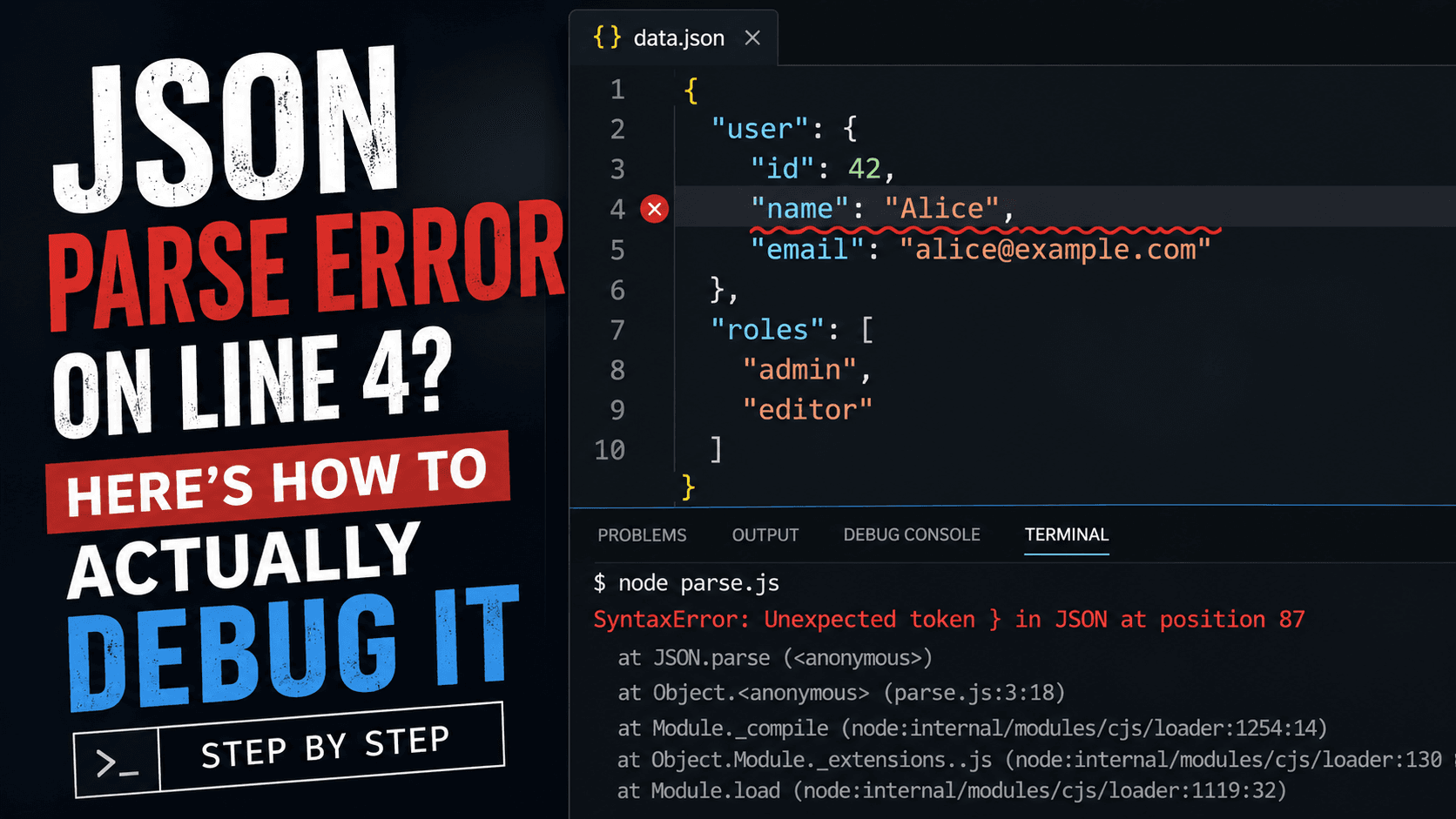
SyntaxError: Unexpected token } in JSON at position 87
Firefox's SpiderMonkey engine reports it differently, often including line and column directly:
SyntaxError: JSON.parse: unexpected character at line 4 column 3 of the JSON data
The engine you're running in changes what the error hands you. If you're debugging in Node, you'll usually get a raw position (a character offset from the start of the string), which is why "line 4" from a stack trace or linter is sometimes an approximation, not the engine's own output.
Checkpoint: Confirm which format your error is in — a raw position number or an explicit line/column pair — before moving to the next step, since they require different conversion approaches.
Step 2: Convert a Character Position to a Line Number
If your error only gives a position (like position 87), you need to map that offset back to a line. This one-liner does it in Node:
This works by slicing the string up to the failing position, then counting how many newlines occurred before it — the length of that array is the line number, and the length of the last fragment is the column.
Expected output:
Line 4, Column 3
Now you have an exact coordinate instead of a guess.
Step 3: Isolate Just the Offending Line
Don't scroll through the whole file. Extract only the failing line and the two around it for context:
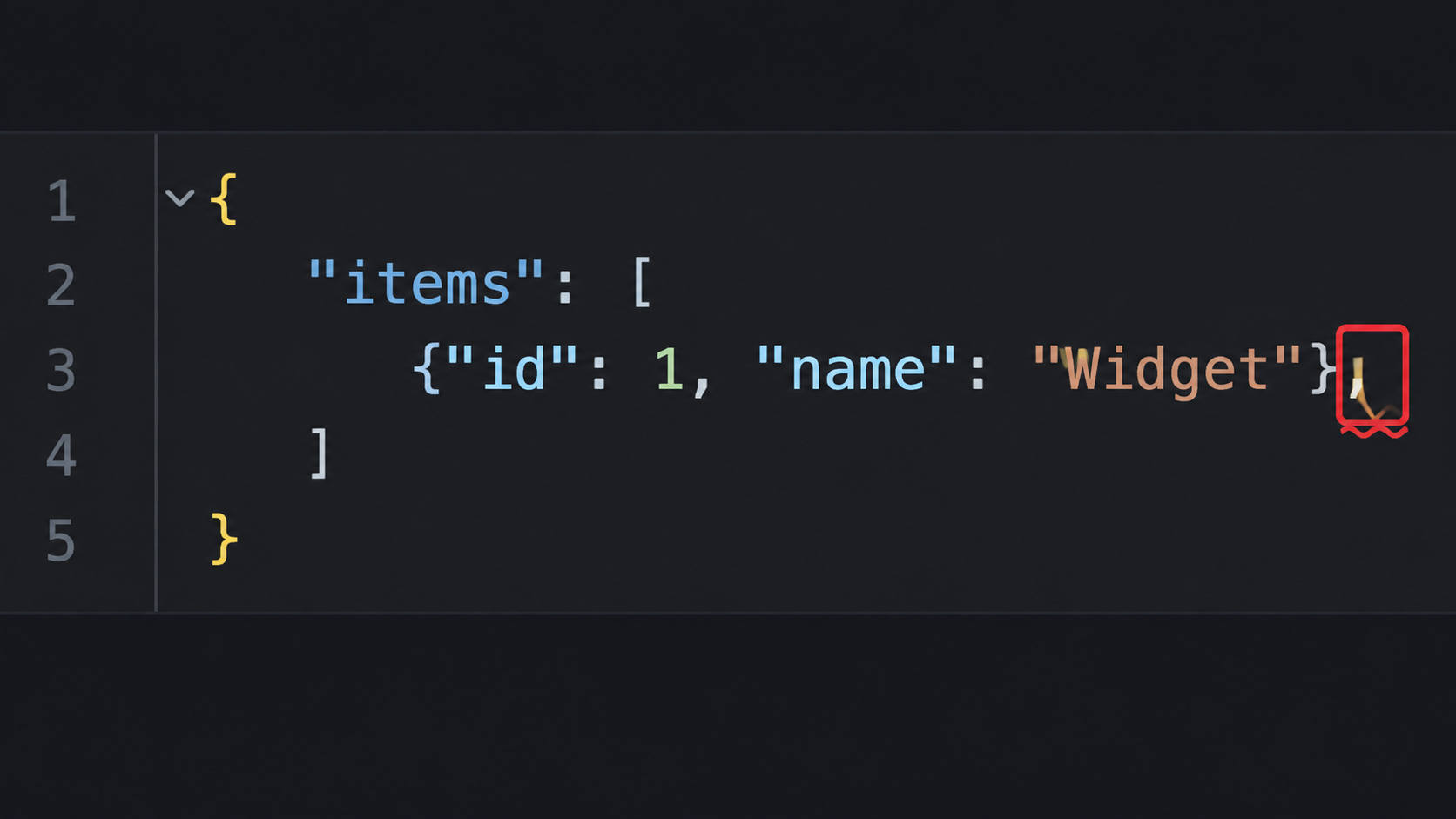
That trailing comma after "editor" is the actual bug — a pattern that's invisible when you're staring at 200 lines but obvious in a 3-line window.
Step 4: Check Against the Six Most Common JSON Syntax Failures
JSON's grammar is deliberately stricter than JavaScript object literals, and that gap is where most parse errors come from.
Symptom
Cause
Fix
Unexpected token } or ]
Trailing comma before a closing brace/bracket
Remove the comma
Unexpected token '
Single quotes used instead of double quotes
JSON requires ", never '
Unexpected token u
An unquoted key or undefined value
Quote all keys; JSON has no undefined, only null
Unexpected end of JSON input
The string is truncated — often a fetch response cut off or a missing closing brace
Check the full response length before parsing
Unexpected token /
A // or /* */ comment
Strip comments before parsing — JSON has none
Bad control character in string literal
A raw newline or tab inside a quoted string
Escape it as \n or \t
If your snippet from Step 3 matches one of these, you likely have your answer already. If it doesn't cleanly match, the next step gives you a second, visual pass.
Step 5: Cross-Check with a Line-Level Validator
Manual position math is reliable but slow when you're debugging repeatedly during development. A JSON Formatter & Validator does the same slicing logic from Steps 2–3 automatically and highlights the exact character inline, which is faster once you already understand what's happening under the hood.
Paste the same snippet in, and the tool should flag the identical position you calculated manually — that agreement is itself a useful check that you diagnosed the failure correctly.
Checkpoint: The validator's reported line and your Step 2 calculation should match. If they don't, you're likely looking at a different error than the one your original stack trace reported — re-run the parse and get a fresh message before continuing.
Step 6: Fix, Then Guard Against Regressions
Once the syntax is corrected, don't just re-run JSON.parse() once and move on. If this JSON is generated programmatically (from a template string, string concatenation, or manual API response construction), the same bug will recur. Two guards are worth adding:
Comparison — manual template strings vs. JSON.stringify(): hand-built JSON strings are where trailing commas and unescaped characters creep in; JSON.stringify(obj) cannot produce invalid JSON, because it serializes from an actual object rather than concatenated text.
If the malformed JSON is coming from a regex-based string transformation (a common source when someone is stripping fields with pattern matching before parsing), a Regex Explainer can show you exactly which characters your pattern is consuming or leaving behind — a frequent hidden cause of "line 4" errors that only show up on certain inputs.
Common Errors
Unexpected end of JSON input on a fetch response — Cause: the response body was consumed twice (once by .text() and again by .json()), or the request was aborted mid-stream. Fix: log response.status and the raw text length before calling .json().
Error position looks wrong after minifying — Cause: minified JSON has no newlines, so "line 1" is the entire file. Fix: run the formatter step first to reintroduce line breaks, then re-parse to get a meaningful position.
Works in a validator but fails in code — Cause: the string in code has a Byte Order Mark (BOM) or invisible Unicode character at the start. Fix: strip it with raw.replace(/^\uFEFF/, '') before parsing.
Once your JSON is valid and you're consuming it in a typed codebase, a natural next step is generating interfaces directly from the corrected payload with a JSON to TypeScript Converter, so the same structural mistakes get caught by the compiler next time, not by a runtime crash.
3Demystifying the Rust Borrow Checker: Fix Lifetime Errors Fast